Product Info
| Uses | Unlimited Domains |
| Source | Original Authors |
| License | GPL |
| Version | wp-project-manager-pro-4.1.0.zip |
| Last Updated | 02 Oct 2026 |
Get with Membership
Access 500+ products
Starter
₹799
5/day
Premium
₹1,299
10/day
Developer
₹1,999
15/day
Cmtyf881k0000owscsm4y6e58
WP Project Manager Pro
Choose Plan
ONE YEAR UPDATE
1 Year download access
₹399
LIFETIME UPDATE
Lifetime download access
₹599
What You Get
Original GPL Licensed Files
Unlimited Domain Usage
Instant Download Access
Free Manual Updates
100% Clean & Virus Free
Secure Payment
Instant Access
Free Updates
Product Description
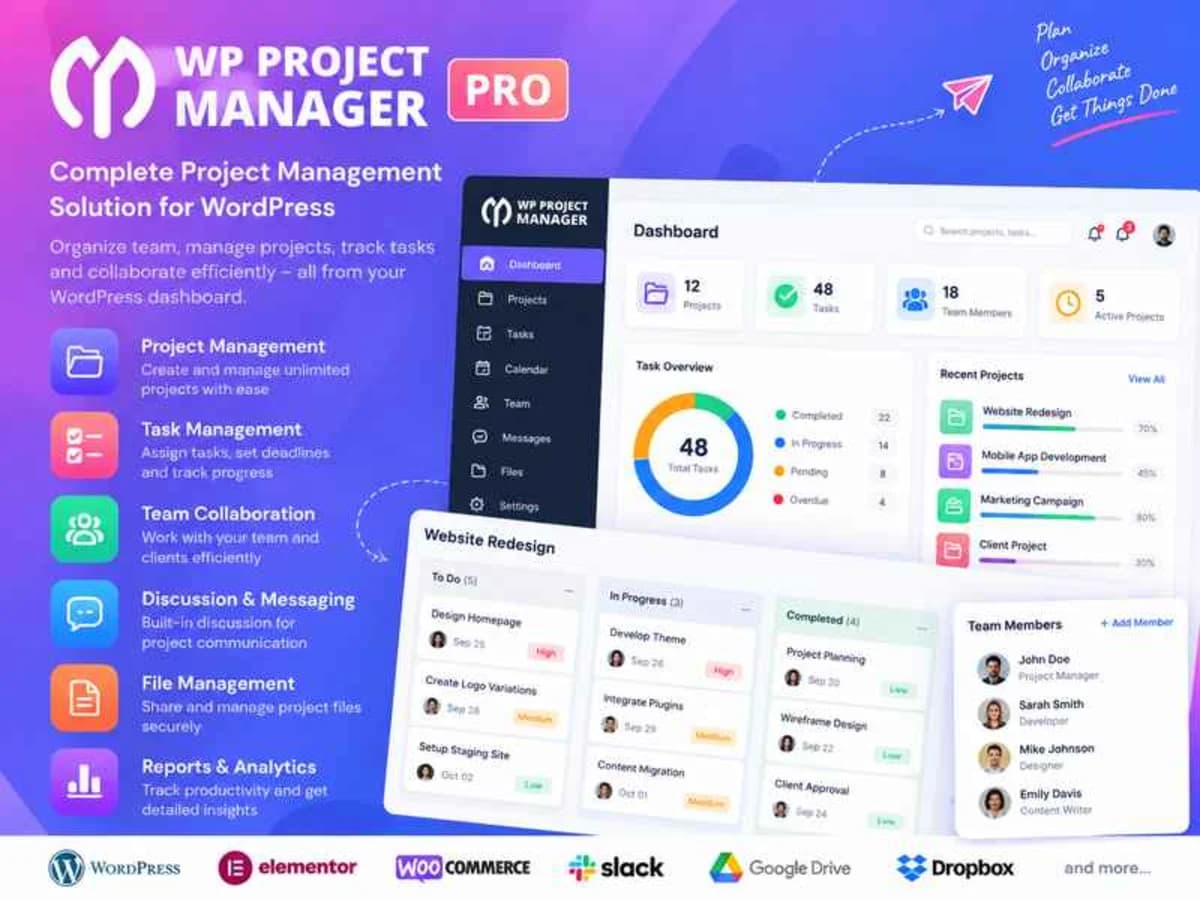
WP Project Manager Pro is a full project management system that lives entirely inside your WordPress dashboard. Instead of juggling Trello, Asana, and email threads, you can manage projects, tasks, teams, and client communication without ever leaving WordPress.
It was built for agencies, freelancers, small teams, and any site owner who delivers client work through WordPress. If you are tired of switching between tools, losing files in email, or having no clear overview of who is doing what and when, this plugin brings everything into one familiar interface. Clients can even log in from the frontend to check progress, leave comments, and upload files, which saves a lot of back-and-forth.
Core Features & Practical Value
Here are the parts that actually matter when you are running real projects day to day:
Kanban Board and Gantt Chart for Visual Planning
The Kanban board lets you drag and drop tasks between stages like To-Do, In Progress, and Done, so you always know where a project stands at a glance. The Gantt chart is where you see dependencies and timelines properly. You can map out start and end dates, see how one delayed task pushes the rest, and adjust the whole schedule visually instead of editing dates one by one.
Time Tracker and Advanced Reports
The built-in time tracker is essential for billable work. Team members can start a timer on a task and log hours accurately, and you get reports that show time spent per project, per user, or per task. This makes invoicing and estimating future projects much easier because you have real data instead of guesses.
Team Capacity, Roles and Personal Dashboards
You can set specific roles and permissions for managers, co-workers, and clients, so people only see what they need to. Each user gets a personal dashboard with their assigned tasks, upcoming deadlines, and recent activity. As an admin, you can also control team capacities to avoid overloading one person while others are idle.
Interactive Task Calendar and Milestone Tracking
The calendar view pulls all your tasks into a monthly layout, which is great for spotting deadline collisions. Milestones help you break a large project into clear phases. You can tie tasks to a milestone like “Design Approved” or “Development Complete” and track overall progress toward that goal.
Files, Discussions and Activity Stream
Every project has its own discussion area and file manager. You can attach documents, images, and briefs directly to tasks, comment in context, and keep all communication tied to the project instead of scattered across emails. The live activity log shows who created, updated, or completed what, so nothing gets missed.
Frontend Compatibility and WooCommerce Integration
Not everyone wants clients inside wp-admin. The frontend compatibility lets clients view and interact with projects from a clean frontend interface. The WooCommerce integration is also handy if you sell project-based services — you can automatically create projects when an order is placed.
Practical Use Cases
1. Running a WordPress Agency: Create a separate project for each client website. Assign design, development, and content tasks to your team, set milestones for wireframes, development, and launch, and let the client follow progress from the frontend. Files and feedback stay in one place.
2. Managing Internal Content Operations: Use recurring tasks for weekly blog posts, newsletters, or social updates. Assign writers, editors, and designers, use priority management to flag urgent content, and check the Overview Dashboard each morning to see what is due.
3. Handling Retainer Clients: With time tracking and daily digests, you can log every hour spent on a retainer and send automated daily summaries of completed work. This keeps clients informed without manual status emails and gives you solid reports at the end of the month.
Product Details
Versionwp-project-manager-pro-4.1.0.zip
CategoryCmtyf881k0000owscsm4y6e58
LicenseGPL
Downloads0
Last Updated02 Oct 2026
What You Get
Original GPL Licensed Files
Unlimited Domain Usage
Instant Download Access
Free Manual Updates
100% Clean & Virus Free
GPL vs Original
| Feature | GPL | Original |
|---|---|---|
| Original Files | ✅ | ✅ |
| Unlimited Downloads | ✅ | ✅ |
| Unlimited Websites | ✅ | ❌ |
| One-Time Payment | ✅ | ~ |
| No License Key | ✅ | ❌ |
| Author Support | ❌ | ✅ |