Product Info
| Uses | Unlimited Domains |
| Source | Original Authors |
| License | GPL |
| Version | wp-schema-pro-2.12.3.zip |
| Last Updated | 02 Oct 2026 |
Get with Membership
Access 500+ products
Starter
₹799
5/day
Premium
₹1,299
10/day
Developer
₹1,999
15/day
Cmtyf881k0000owscsm4y6e58
WP Schema Pro Plugin
Choose Plan
ONE YEAR UPDATE
1 Year download access
₹399
LIFETIME UPDATE
Lifetime download access
₹599
What You Get
Original GPL Licensed Files
Unlimited Domain Usage
Instant Download Access
Free Manual Updates
100% Clean & Virus Free
Secure Payment
Instant Access
Free Updates
Product Description
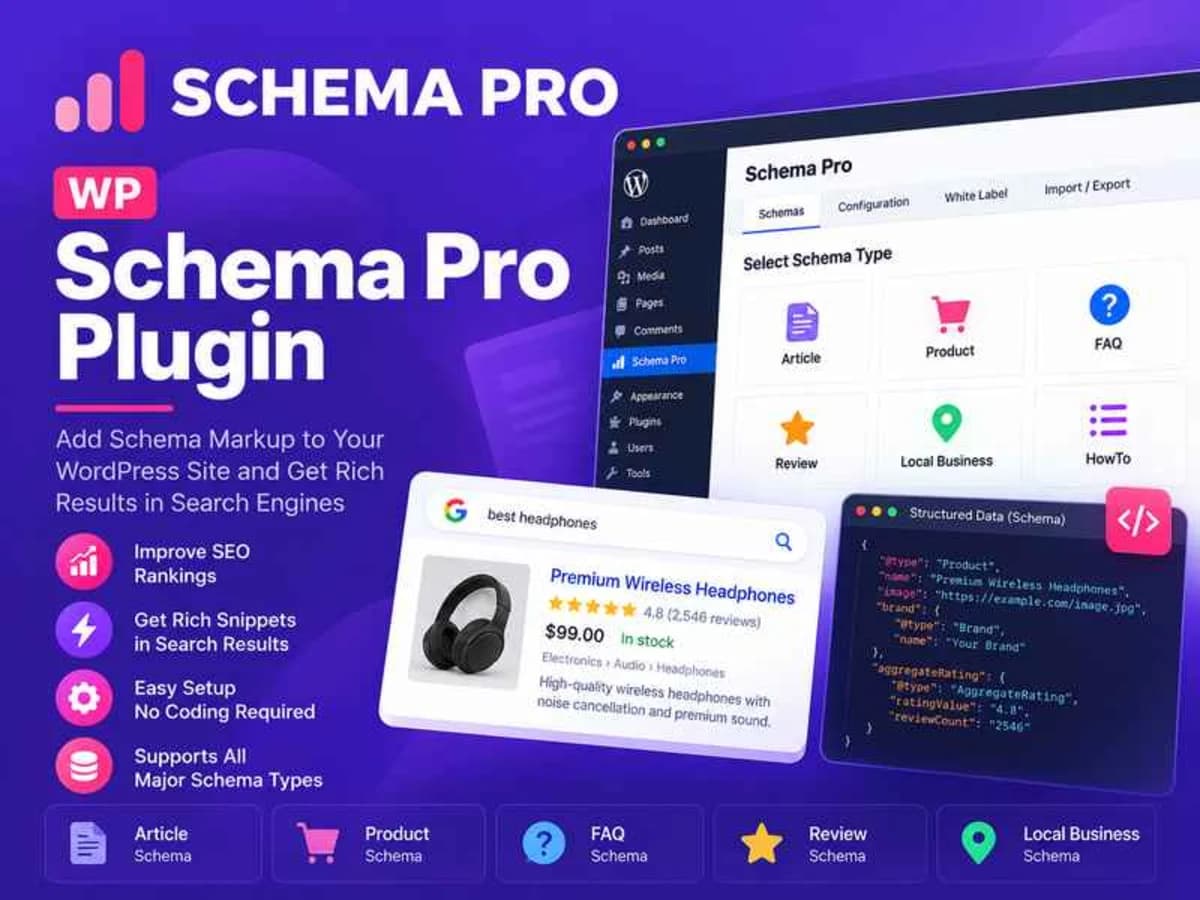
WP Schema Pro is a dedicated structured data plugin for WordPress that adds schema markup to your site automatically, without you having to write a single line of JSON-LD code. If you have ever tried to manually add schema for articles, products, recipes, reviews, or FAQs, you know how tedious and easy it is to get a comma wrong and break the whole thing.
This plugin handles that work for you. It lets you map different schema types to your posts, pages, custom post types, and archives using simple display rules. Instead of pasting code into your theme files, you select a schema type like Article, Product, FAQ, HowTo, Course, or Local Business, fill in the fields, and set where it should appear. Perfect for bloggers, affiliate marketers, WooCommerce store owners, and anyone who wants those eye-catching rich results in Google – like star ratings, FAQ dropdowns, and product price information.
Core Features That Make It Worth Using
The plugin is intentionally focused. It doesn’t try to be an SEO suite, it just does schema really well. Here are the parts that save the most time in real projects:
1. One-Click Schema Types for Almost Everything
You get ready-made templates for 13+ schema types including Article, Review, FAQ, HowTo, Recipe, Product, Person, Local Business, Service, and Course. You just pick the type, map fields like title, featured image, author, and rating to existing WordPress data, and the plugin generates the correct JSON-LD on the front end.
2. Dedicated FAQ Block With Multiple Block Support
The FAQ schema is especially useful. It adds a Gutenberg FAQ block you can drop anywhere in your content, and it outputs properly validated FAQ schema. It now supports multiple FAQ blocks per page and includes WPML compatibility, so your translated FAQ pages also get correct markup.
3. Smart Targeting and Display Rules
You don’t have to apply schema site-wide. You can target specific posts, pages, categories, tags, or custom post types. For example, you can set Organization schema to only show on the homepage, Product schema only on WooCommerce products, and Article schema only on blog posts. The fixed exclude category logic also works correctly now, so your rules are more precise.
4. Automated Field Mapping and Logo Detection
Instead of typing everything manually, the plugin pulls data directly from WordPress. It can automatically fetch your site logo from the Theme Customizer for Organization markup, pull author name, publish date, and featured image for articles, and handle custom fields. The admin-only visibility for schema field settings and the role filter also keeps clients from accidentally breaking the setup.
5. Google-Compliant JSON-LD Output
The code it outputs is clean and validated to follow current Google guidelines. Required fields for Product and Organization reviews are updated, language-specific JSON-LD formatting issues are handled, and the rating field now accepts decimal step values. It also adds useful extras like Sitelinks Search Box support for About and Contact pages and a simple enable/disable toggle for breadcrumbs.
6. Cleaner Backend Experience
The setup wizard and configuration panels have been restructured to be less confusing. Small but important fixes like the WP 5.5 backend border glitch, datetime picker year range selection, and settings notice placement make the admin side much smoother to work with day to day.
Where This Plugin Is Genuinely Helpful
For affiliate and review sites: If you write product reviews, you can add Review and Product schema in under two minutes. That is what gets you the star ratings and price/availability details in search results, which directly improves click-through rates compared to plain blue links.
For bloggers answering questions: Creating FAQ sections at the end of your posts is one of the easiest ways to win more space in search. With the FAQ block, you write the questions and answers normally, and the plugin wraps them in the exact markup Google wants to show as expandable dropdowns.
For local businesses and service providers: You can set up Local Business and Service schema once and have it appear correctly on your homepage and service pages. It helps Google understand your business name, logo, address, and contact points without you hiring a developer to code it.
Product Details
Versionwp-schema-pro-2.12.3.zip
CategoryCmtyf881k0000owscsm4y6e58
LicenseGPL
Downloads0
Last Updated02 Oct 2026
What You Get
Original GPL Licensed Files
Unlimited Domain Usage
Instant Download Access
Free Manual Updates
100% Clean & Virus Free
GPL vs Original
| Feature | GPL | Original |
|---|---|---|
| Original Files | ✅ | ✅ |
| Unlimited Downloads | ✅ | ✅ |
| Unlimited Websites | ✅ | ❌ |
| One-Time Payment | ✅ | ~ |
| No License Key | ✅ | ❌ |
| Author Support | ❌ | ✅ |