Product Info
| Uses | Unlimited Domains |
| Source | Original Authors |
| License | GPL |
| Version | translatepress-pro-3.3.7.zip |
| Last Updated | 02 Oct 2026 |
Get with Membership
Access 500+ products
Starter
₹799
5/day
Premium
₹1,299
10/day
Developer
₹1,999
15/day
Cmtyf881k0000owscsm4y6e58
TranslatePress Pro
Choose Plan
ONE YEAR UPDATE
1 Year download access
₹399
LIFETIME UPDATE
Lifetime download access
₹599
What You Get
Original GPL Licensed Files
Unlimited Domain Usage
Instant Download Access
Free Manual Updates
100% Clean & Virus Free
Secure Payment
Instant Access
Free Updates
Product Description
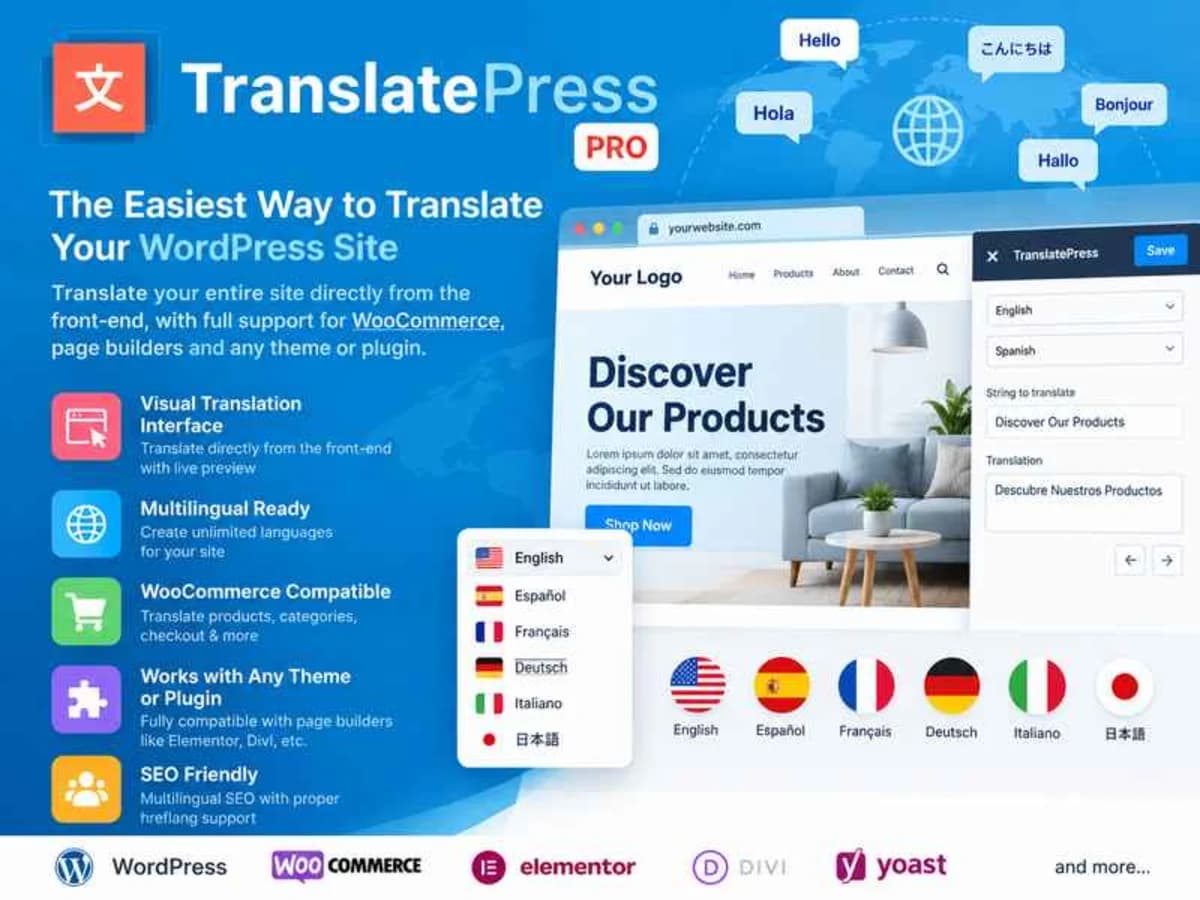
TranslatePress Pro is a translation plugin built for WordPress sites that need to serve content in more than one language, without turning your admin area into a maze. Unlike solutions that force you to work through lists of strings in the backend, this one lets you translate everything right from the front end, exactly as your visitors see it.
It’s a practical choice for business owners, bloggers, WooCommerce store owners, and freelancers building multilingual sites for clients. If you’ve ever tried to manage a site in English, Spanish, or German manually — duplicating pages, juggling menu items, and worrying about SEO — you know how quickly it gets messy. TranslatePress keeps it straightforward: you choose your additional languages, browse your site in the visual editor, and click on any text to translate it. Menus, page builders, forms, popups, even dynamic strings from themes and plugins can be handled the same way.
Another reason people prefer it is control. Your translations are stored locally in your own database, not on an external server. You can run automatic translation through Google Translate or DeepL to get 90% of the work done, then manually refine the phrasing where it matters. No shortcodes to manage for each language version, no extra addons required for basic compatibility — it works with most themes and plugins out of the box.
Core Features That Make It Worth Using
These are the parts that actually save time when you’re building a multilingual site for a real client or your own business.
1. Visual Front-End Translation Interface
You don’t translate in a separate dashboard. You open your site in the TranslatePress editor, click on any heading, paragraph, button, or image alt text, and type the translation right there. You see the layout, spacing, and styling as you work, so you avoid surprises like truncated buttons or broken layouts in the second language.
2. Automatic Translation With Google Translate and DeepL
Instead of translating thousands of words by hand, you can connect your own API key and let the plugin auto-translate your entire site instantly. The workflow most people use is simple: run the automatic pass first, then go back and polish only the sentences that sound awkward. It cuts down hours of repetitive work, especially for large sites or shops with many products.
3. Complete Control and Self-Hosted Translations
Everything you translate stays in your WordPress database. You are not locked into a third-party cloud service to display your content. If you decide not to renew a license later, your translated pages keep working. This also helps with privacy and performance, since you’re not loading translations from an outside platform on every page view.
4. WooCommerce and Complex Plugin Compatibility
Many translation plugins struggle with stores, booking systems, or page builders. TranslatePress is built to handle dynamic strings, custom post types, and shortcodes without requiring additional bridging plugins. You can translate product titles, descriptions, variation labels, checkout fields, and emails, and the language switcher updates URLs correctly for SEO.
5. SEO-Friendly Language Setup
The plugin creates language-specific URLs, manages hreflang tags, and lets you translate slugs, SEO titles, and meta descriptions. You can also translate your sitemap entries so search engines can index each language properly. For sites targeting multiple regions, this is far more reliable than relying on browser auto-translate.
6. Flexible Language Switcher
You can add a floating switcher, add it to your menu, or place it as a shortcode in a widget or header builder. It supports displaying language names, flags, or short codes, and you can choose how it behaves on desktop versus mobile. Clients tend to like this because it looks native, not like an afterthought.
Where TranslatePress Pro Is Most Useful
Here are a few real-world situations where this plugin pays for itself in saved time:
Building a Local Business Site for Two Languages
Think of a restaurant, law firm, or tourism agency that serves both local customers and tourists. With TranslatePress you can keep a single site design, translate the menu, service pages, contact forms, and keep English and Spanish URLs clean. The owner can update content in one place without managing two separate WordPress installs.
Running a WooCommerce Store Across Borders
If you sell physical or digital products to buyers in different countries, you need more than just currency switching. You need product pages that read naturally. TranslatePress lets you auto-translate your catalog, then manually refine the product descriptions that actually drive conversions, while keeping stock and orders centralized in one admin.
Client Projects on a Tight Deadline
For freelancers, the visual editor is a major time-saver. Instead of exporting PO files or training a client to use a complex string table, you can hand them a simple instruction: go to the front end, click the text you want to change. It reduces support requests after handover and makes revisions much faster.
Product Details
Versiontranslatepress-pro-3.3.7.zip
CategoryCmtyf881k0000owscsm4y6e58
LicenseGPL
Downloads0
Last Updated02 Oct 2026
What You Get
Original GPL Licensed Files
Unlimited Domain Usage
Instant Download Access
Free Manual Updates
100% Clean & Virus Free
GPL vs Original
| Feature | GPL | Original |
|---|---|---|
| Original Files | ✅ | ✅ |
| Unlimited Downloads | ✅ | ✅ |
| Unlimited Websites | ✅ | ❌ |
| One-Time Payment | ✅ | ~ |
| No License Key | ✅ | ❌ |
| Author Support | ❌ | ✅ |