Product Info
| Uses | Unlimited Domains |
| Source | Original Authors |
| License | GPL |
| Version | dark-reader-pro-1.2.5.zip |
| Last Updated | 02 Oct 2026 |
Get with Membership
Access 500+ products
Starter
₹799
5/day
Premium
₹1,299
10/day
Developer
₹1,999
15/day
Cmtyf881k0000owscsm4y6e58
Dark Reader Pro
Choose Plan
ONE YEAR UPDATE
1 Year download access
₹99
LIFETIME UPDATE
Lifetime download access
₹299
No Demo
What You Get
Original GPL Licensed Files
Unlimited Domain Usage
Instant Download Access
Free Manual Updates
100% Clean & Virus Free
Secure Payment
Instant Access
Free Updates
Product Description
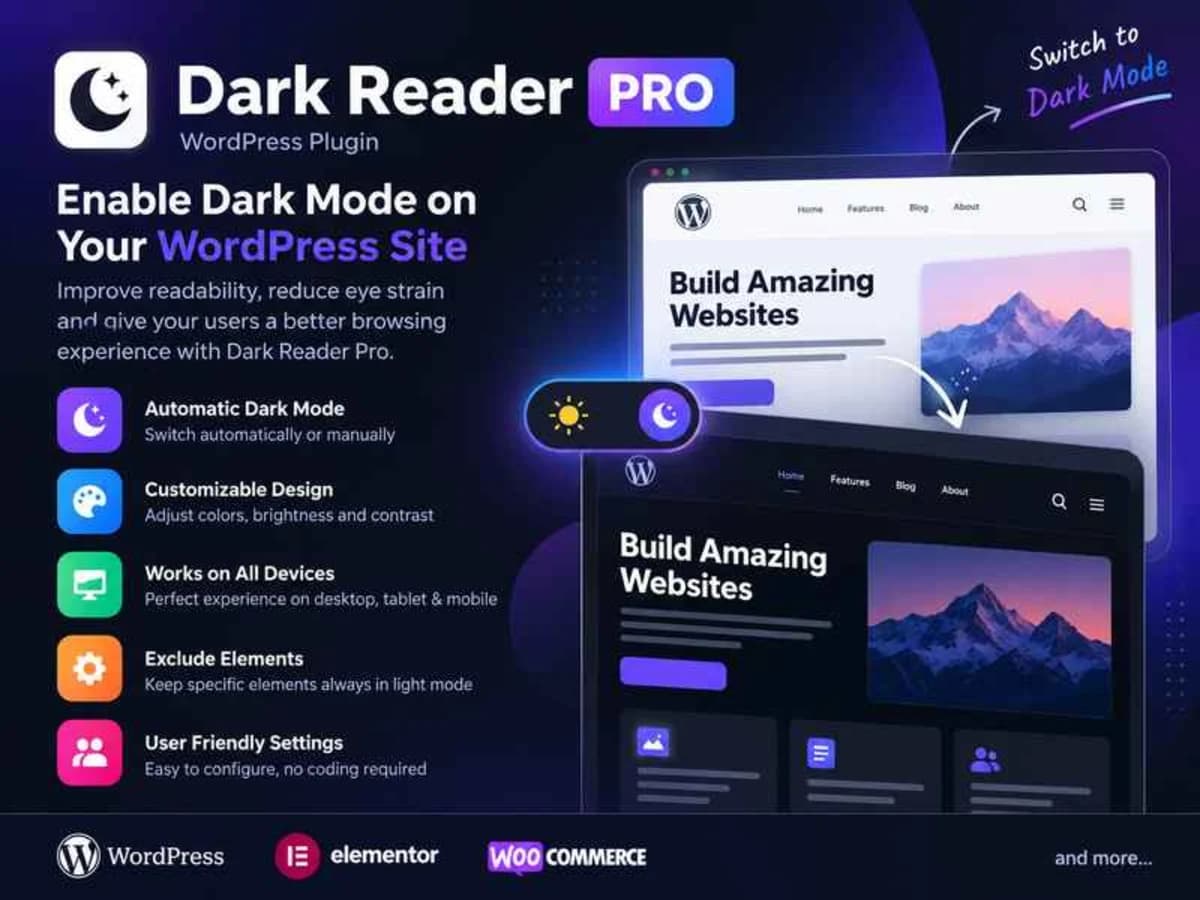
Dark Reader Pro is a WordPress plugin built for one focused job: adding a proper dark mode to your entire site and even the WordPress dashboard. It doesn’t just invert colors and hope for the best. It intelligently reworks background colors, text, buttons and other interface elements so your site stays readable and comfortable in low light.
This is especially useful if you run a blog, magazine, documentation site, or any store where people browse for a long time in the evening. Giving visitors a simple light/dark switch reduces eye strain and keeps them on the page longer. It also helps with brand consistency, since you can tune the dark palette to match your site instead of using a generic grey overlay. If you have clients who work late inside wp-admin, the dashboard dark mode is a nice bonus that makes the backend easier on the eyes too.
Core Features and Practical Value
Instead of listing everything, here are the options you will actually use on a live site:
Flexible Toggle Position and Button Styles
You can place the dark mode switch exactly where it makes sense for your layout – floating in the corner, in the header, or tucked into a menu. The plugin includes several ready-made button designs, so you can pick one that blends with your theme without writing any extra code for the switch itself.
Custom Colors for Brand Matching
Dark mode doesn’t have to look generic. You can define your own dark palette for backgrounds, text and links so the result still feels like your brand. This is helpful when your brand has strong primary colors that get washed out by automatic conversion.
Image Exclusion and Color Optimization
One of the biggest problems with cheap dark mode solutions is that they dim or distort images and logos. With the image exclusion setting you can keep specific images, logos or galleries in their original brightness while everything else darkens. The built-in color optimization also keeps contrast balanced so text remains legible and not too harsh.
Custom CSS Control
If you want total control, there is a Custom CSS field dedicated to dark mode. You can override styles for specific sections, fix a stubborn element from your theme, or fine-tune spacing and borders that don’t convert well automatically. It’s much cleaner than editing your theme files directly.
Remembers User Preference
The plugin saves each visitor’s choice in their browser. If someone switches to dark mode once, they will see the same mode the next time they return without having to toggle it again. That small detail makes the experience feel thoughtful and consistent.
Shortcode for Anywhere Placement
Besides the floating toggle, you get a shortcode to drop the switch inside posts, pages, widgets or builder elements. This is handy if you want the control inside a hero section, a settings page, or a custom mobile menu where the floating button might not fit.
Where This Plugin Makes a Real Difference
1. Content-Heavy Blogs and Night-Time Readers
If your analytics show most traffic in the evening, a dark mode option is a practical comfort feature. Readers who spend 10-15 minutes on long articles are far more likely to stay and come back if they can switch to a softer dark background without installing a browser extension.
2. Client Sites and Portfolio Work
When you are delivering a site to a client who cares about modern UX, offering a light/dark toggle is an easy win. You can set the default based on system preference, position the toggle in the header, and match the dark colors to their style guide. It looks polished without adding a heavy page builder dependency.
3. Backend Work for Yourself and Your Team
Freelancers and small teams spend hours inside the WordPress dashboard. Enabling dashboard dark mode reduces glare during late work sessions and is less tiring over a full day. You can test it for yourself first before offering it to users on the front end.
Product Details
Versiondark-reader-pro-1.2.5.zip
CategoryCmtyf881k0000owscsm4y6e58
LicenseGPL
Downloads0
Last Updated02 Oct 2026
What You Get
Original GPL Licensed Files
Unlimited Domain Usage
Instant Download Access
Free Manual Updates
100% Clean & Virus Free
GPL vs Original
| Feature | GPL | Original |
|---|---|---|
| Original Files | ✅ | ✅ |
| Unlimited Downloads | ✅ | ✅ |
| Unlimited Websites | ✅ | ❌ |
| One-Time Payment | ✅ | ~ |
| No License Key | ✅ | ❌ |
| Author Support | ❌ | ✅ |