Product Info
| Uses | Unlimited Domains |
| Source | Original Authors |
| License | GPL |
| Version | wpc-product-table-for-woocommerce-3.2.1.zip |
| Last Updated | 29 Sept 2026 |
Get with Membership
Access 500+ products
Starter
₹799
5/day
Premium
₹1,299
10/day
Developer
₹1,999
15/day
Woocommerce Plugins
WPC Product Table for WooCommerce
Choose Plan
ONE YEAR UPDATE
1 Year download access
₹399
LIFETIME UPDATE
Lifetime download access
₹599
What You Get
Original GPL Licensed Files
Unlimited Domain Usage
Instant Download Access
Free Manual Updates
100% Clean & Virus Free
Secure Payment
Instant Access
Free Updates
Product Description
WPC Product Table for WooCommerce
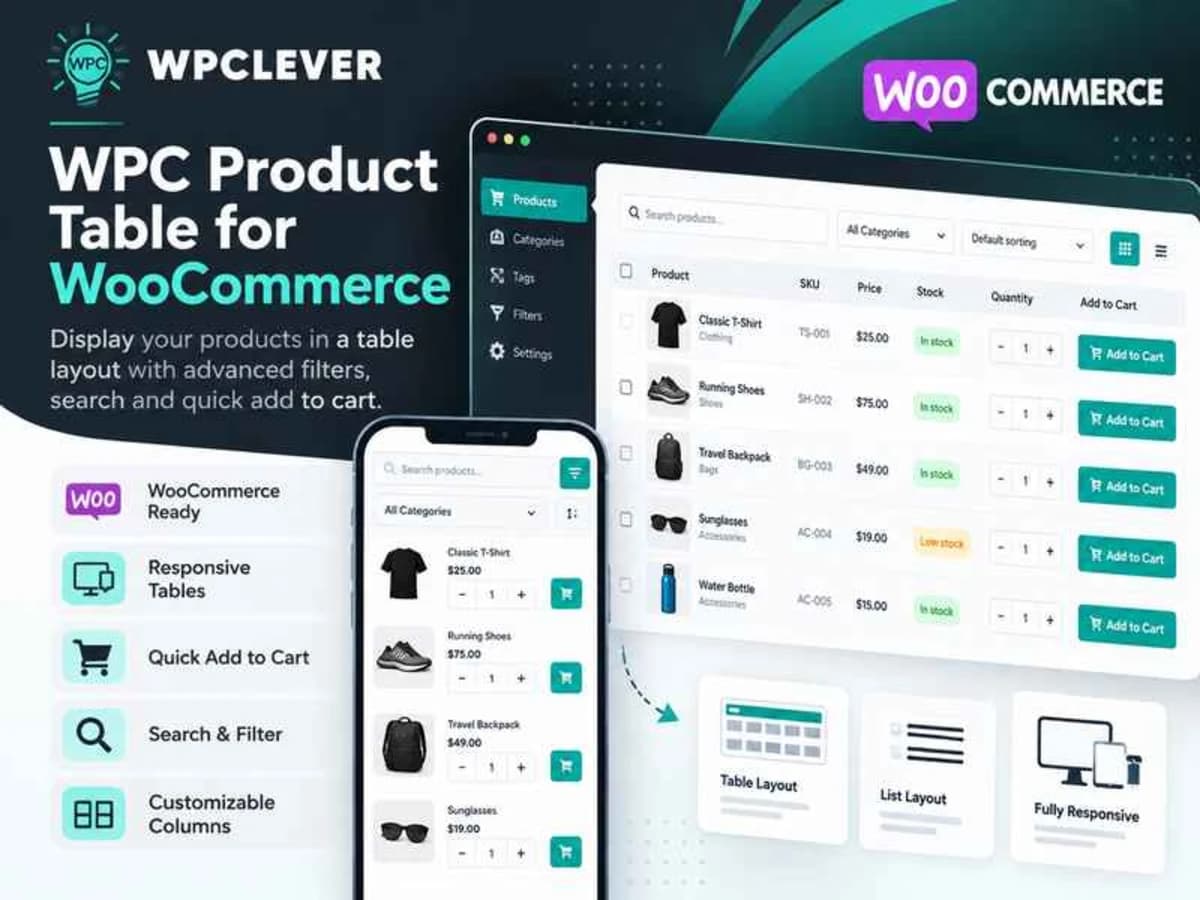
WPC Product Table for WooCommerce is a plugin that replaces the standard WooCommerce shop grid with a compact, searchable product table. Instead of showing large product cards, it lists products in rows with columns for things like image, name, price, stock, quantity field, and buy button.
It is built for stores where customers need to compare and buy quickly rather than browse visually. Think wholesale shops, hardware suppliers, bookstores, food ingredient stores, or any catalog with a lot of SKUs. If you have 50+ products and your customers know what they are looking for, a table with instant search, sorting, and pagination is far more usable than infinite scrolling through grids. You can control which products appear, how they are ordered, and where the table shows up using a simple shortcode.
Core Features & Practical Value
This is not just a table wrapper. It gives you real control over data sources, columns, and frontend behavior, which is why developers like using it for B2B and bulk-order builds.
1. Flexible Product Sourcing
You can build a table by typing a keyword to search and add specific products, or you can pull in batches automatically from Categories, Tags, or Attributes. That makes it easy to create targeted tables like “All T-shirts in Size L” or “Everything from the Industrial Tools category” without manually selecting each item. You can also set exclusions and limit the maximum number of products per table if you don’t want the full archive loading at once.
2. Custom Ordering You Control
Products don’t have to stay in default date or title order. You can arrange them in a preferred order to push bestsellers or in-stock items to the top. For wholesale clients, that small detail helps them find what they need faster and improves conversion.
3. Drag & Drop Columns – Up to 16 Types
The column builder is where this plugin shines. You get up to 16 property types to show – including thumbnail, SKU, name, price, stock status, rating, categories, attributes, and add-to-cart/quantity. You can drag to reorder and hide what you don’t need, so a spare parts table can prioritize SKU and stock, while a clothing table can prioritize attributes like color and size.
4. Instant Search, Filters & Pagination
On the frontend, customers get an instant search box to filter the table without reloading, plus an item-per-page filter and pagination. For large catalogs, this keeps the page fast and prevents that long, laggy table that kills mobile experience.
5. Place Anywhere With Shortcode
Each table generates a shortcode you can drop into any page, post, or block. You can have multiple tables on the same site with different designs and product sets – for example, one table for “New Arrivals” on the homepage and another for “Bulk Deals” on a wholesale page.
6. Individual Table Designs & Localization Ready
You can choose a suitable design for each individual table instead of being stuck with one global style. And if you build multilingual shops, all frontend strings are ready for translation so you can adapt labels like “Search,” “Add to Cart,” or column headers.
Practical Use Cases Where a Table Makes Sense
Wholesale and B2B Quick Ordering
If your customers regularly order 20-30 different products at once, a grid is painful. With a table that shows SKU, stock, price tiers, and a quantity input with AJAX add-to-cart in one row, buyers can fill quantities and check out in seconds. Restaurant suppliers and office supply stores use this layout constantly.
Parts, Books, or Technical Catalogs
For products where specifications matter more than images – like auto parts, electronic components, or books by ISBN – the table lets people scan and compare attributes side-by-side. Pair it with the attribute source so you can auto-generate a table for every brand or specification.
Private Price Lists or Quote Tables
Agencies often build a members-only page for VIP clients that shows a curated table of discounted products. Because you can control exactly which products appear and in what order, you can create a clean, printable price list without touching code, and update it by just changing the source category.
Product Details
Versionwpc-product-table-for-woocommerce-3.2.1.zip
CategoryWoocommerce Plugins
LicenseGPL
Downloads0
Last Updated29 Sept 2026
What You Get
Original GPL Licensed Files
Unlimited Domain Usage
Instant Download Access
Free Manual Updates
100% Clean & Virus Free
GPL vs Original
| Feature | GPL | Original |
|---|---|---|
| Original Files | ✅ | ✅ |
| Unlimited Downloads | ✅ | ✅ |
| Unlimited Websites | ✅ | ❌ |
| One-Time Payment | ✅ | ~ |
| No License Key | ✅ | ❌ |
| Author Support | ❌ | ✅ |