Product Info
| Uses | Unlimited Domains |
| Source | Original Authors |
| License | GPL |
| Version | wpc-product-options-for-woocommerce-4.0.6.zip |
| Last Updated | 29 Sept 2026 |
Get with Membership
Access 500+ products
Starter
₹799
5/day
Premium
₹1,299
10/day
Developer
₹1,999
15/day
Woocommerce Plugins
WPC Product Options for WooCommerce
Choose Plan
ONE YEAR UPDATE
1 Year download access
₹399
LIFETIME UPDATE
Lifetime download access
₹599
What You Get
Original GPL Licensed Files
Unlimited Domain Usage
Instant Download Access
Free Manual Updates
100% Clean & Virus Free
Secure Payment
Instant Access
Free Updates
Product Description
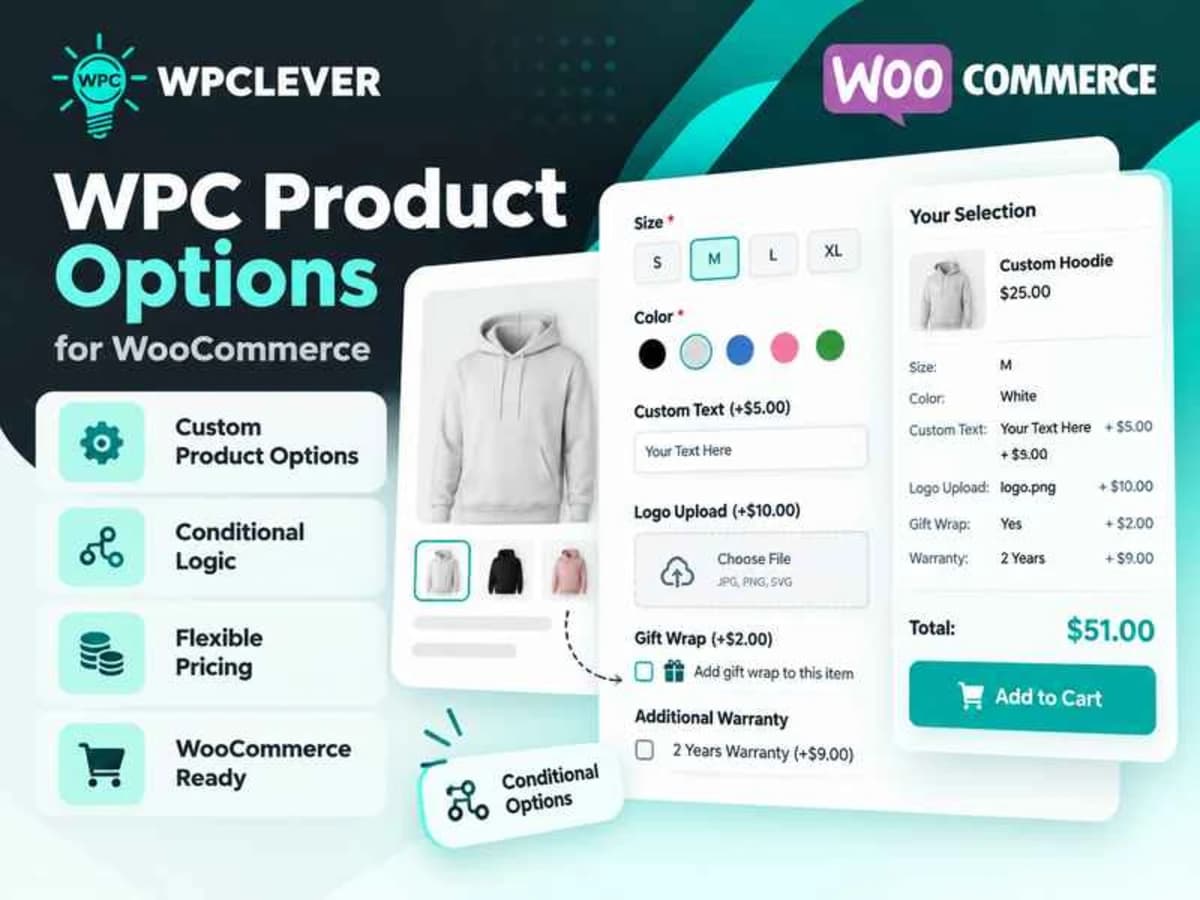
WPC Product Options for WooCommerce is a plugin for store owners who need more than WooCommerce’s default variations. By default, WooCommerce is great for size and color, but it falls short when you need to offer true customizations like engraving text, file uploads, date selections, or extra paid add-ons. This plugin bridges that gap.
It lets you attach custom fields and paid extras directly to your product pages without having to create hundreds of separate variable products. It is especially useful for print shops, gift stores, food ordering sites, furniture sellers, or any business where the customer needs to personalize the product before adding it to cart. Instead of using workarounds or custom code, you get a visual builder that controls exactly what the customer sees and what they get charged for.
Core Features and Why They Are Useful in Real Stores
What makes this plugin practical is not just the number of fields, but how much control you have over pricing and display logic. Here are the standouts I found most helpful during testing:
1. 18+ Field Types for Real Customization
You are not limited to a simple text box. You get text, textarea, number, email, checkbox, radio, dropdown, file upload, date, time, date range, color picker, and more. This means you can handle almost any personalization request, from “add a gift message” to “upload your logo for printing” without installing another add-on.
2. Global Rules That Save Hours of Work
Instead of adding the same set of options to 200 products one by one, you can create a global rule. You can assign add-on groups to all products, specific categories, tags, brands, or attributes. For example, add a gift wrapping option to your entire “Gifts” category in one step. You can still override or disable those global options on a single product if needed.
3. Drag and Drop Builder With Full Field Control
The builder itself is straightforward. You can drag fields to reorder them and configure each one in detail: set the label, make it required or optional, add a description, set a default value, define character limits, and control the price. It feels much closer to building a form than wrestling with WooCommerce settings.
4. Flexible Pricing That Actually Makes Sense
This is where it gets powerful for paid extras. You can charge a flat amount, a percentage of the product price, a price that multiplies with quantity, or even use a custom formula. So if you want to charge $10 extra for embroidery, or 15% extra for premium packaging, or $2 per letter for engraving, you can do it without custom coding.
5. Clean Pickers for Dates, Times, and Colors
The date, time, and color pickers are not just basic inputs. Customers get a nice visual picker for selecting a delivery date, booking time, color swatch, or date range. For stores taking appointments or selling customizable products, this makes the front-end experience much smoother and reduces user errors.
6. Shortcode Support Inside Options
You can insert shortcodes directly inside the option descriptions or values. That might sound small, but it is very handy. You can embed a size chart, a countdown timer for urgency, or a small gallery of examples right next to the option where the customer is making a decision.
7. Wide Compatibility With Themes and Plugins
During my local tests it played well with most standard WooCommerce themes like Flatsome, Astra, and Woodmart, and did not conflict with common plugins for checkout or page building. Because it uses standard WooCommerce hooks for pricing and cart data, the extra charges carry through to cart, checkout, and order emails correctly.
Where This Plugin Fits Best
Here are a few realistic examples where store owners get the most value from it:
Personalized and print-on-demand products: If you sell t-shirts, mugs, business cards, or invitation cards, you can let customers enter custom text, choose a font, pick a color, and upload their artwork. You can charge separately for each customization and make certain fields required before checkout.
Food, bakery, and gift orders with extras: A cake shop can offer options for size, flavor, icing message, candle add-on, and delivery date with a time slot. Each extra has its own price that gets added to the total automatically, which is much cleaner than creating a new product for every combination.
Service-based or booking-related products: For products that need a date or time selection, like rental items, workshops, or appointment-based services, the date and time pickers handle availability presentation without needing a full booking system. You can also use file uploads for customers who need to send reference documents.
Product Details
Versionwpc-product-options-for-woocommerce-4.0.6.zip
CategoryWoocommerce Plugins
LicenseGPL
Downloads0
Last Updated29 Sept 2026
What You Get
Original GPL Licensed Files
Unlimited Domain Usage
Instant Download Access
Free Manual Updates
100% Clean & Virus Free
GPL vs Original
| Feature | GPL | Original |
|---|---|---|
| Original Files | ✅ | ✅ |
| Unlimited Downloads | ✅ | ✅ |
| Unlimited Websites | ✅ | ❌ |
| One-Time Payment | ✅ | ~ |
| No License Key | ✅ | ❌ |
| Author Support | ❌ | ✅ |