Product Info
| Uses | Unlimited Domains |
| Source | Original Authors |
| License | GPL |
| Version | divi-plus-plugin-2.4.0.zip |
| Last Updated | 29 Sept 2026 |
Get with Membership
Access 500+ products
Starter
₹799
5/day
Premium
₹1,299
10/day
Developer
₹1,999
15/day
Woocommerce Plugins
Divi Plus Plugin
Choose Plan
ONE YEAR UPDATE
1 Year download access
₹399
LIFETIME UPDATE
Lifetime download access
₹599
What You Get
Original GPL Licensed Files
Unlimited Domain Usage
Instant Download Access
Free Manual Updates
100% Clean & Virus Free
Secure Payment
Instant Access
Free Updates
Product Description
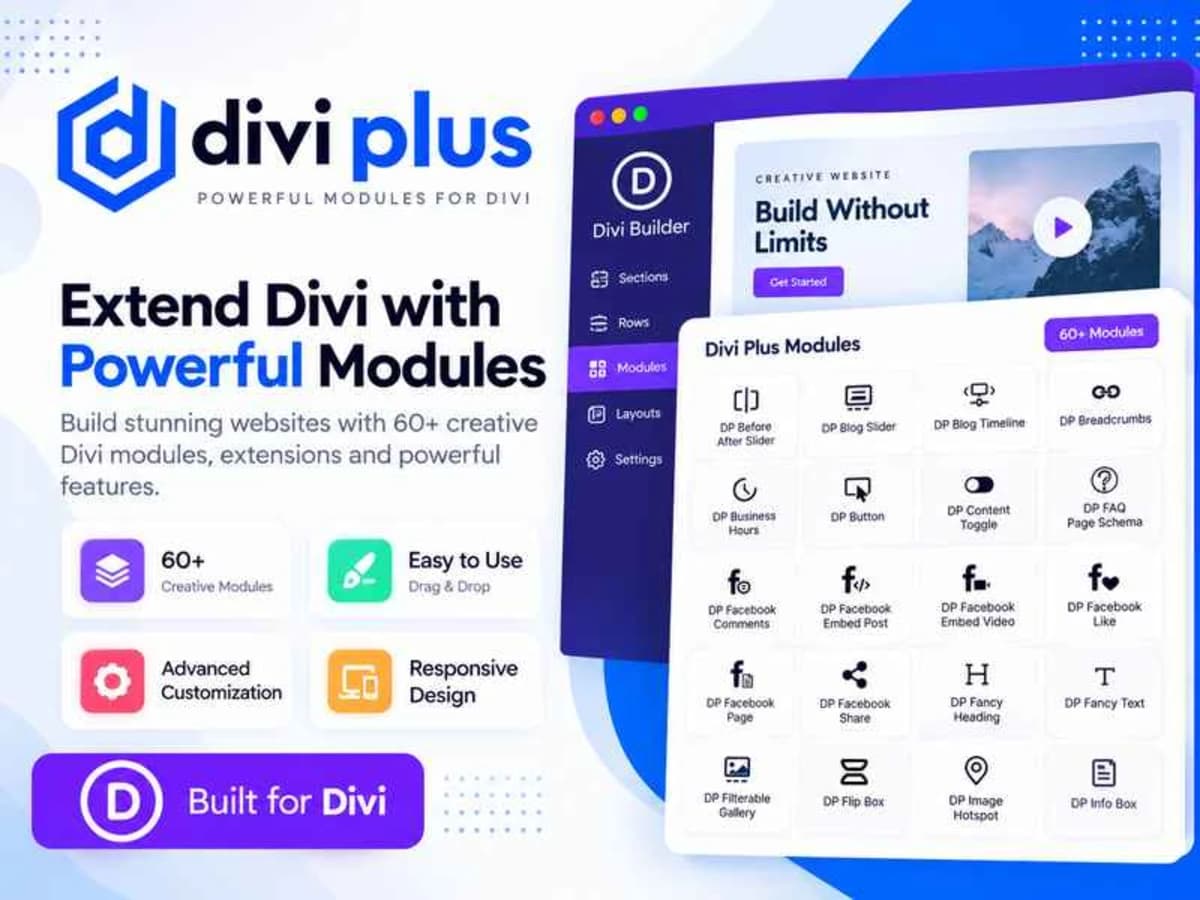
Divi Plus is an add-on toolkit for the Divi theme and builder that fills in the creative gaps the default Divi modules leave. If you have ever tried to build a more visual, interactive layout with standard Divi and felt limited, this is the kind of plugin designed for that job. It adds a collection of new Divi Builder modules focused almost entirely on images and interactive presentation.
Instead of hacking CSS or stacking third-party shortcodes, you get native Divi modules like image masks, galleries, accordions and hotspots that you can drag, drop and style from within the Visual Builder. It is built for designers, freelancers, and small business owners who already use Divi and want to create portfolio pages, landing pages, or product showcases that feel more polished without leaving the Divi ecosystem. You can experiment with it on a local or staging site, see how it handles your image layouts and typography, and decide if it fits your workflow before using it on anything live.
Core Features and Why They Are Useful
This plugin is heavily focused on making images do more than just sit on the page. Here are the standouts that are actually practical in client work:
1. Image Mask and Floating Image
Image Mask lets you display photos inside custom shapes – blobs, circles, polygons – without needing Photoshop. Floating Image adds that subtle slow-motion float animation that makes hero sections feel more alive. Both are great for agency homepages or creative personal sites where you want an organic, less boxy look and you can control everything from the Divi design settings.
2. Masonry Gallery and Image Accordion
Masonry Gallery automatically arranges images of different sizes into a clean Pinterest-style grid, which saves a lot of manual spacing work. Image Accordion is perfect when you have a row of images and want them to expand on hover to reveal more. I find these two especially useful for photographers, interior designers, or restaurants that need to show a lot of visuals without making the page feel heavy.
3. Tilt Image and Image Magnifier
Tilt Image creates that 3D hover effect where the image subtly follows the mouse movement. Image Magnifier adds a zoom-on-hover lens effect for detailed photos. Both are small touches that increase engagement on product or portfolio pages and they work smoothly inside Divi columns without extra script configuration.
4. Image Card and Image Hotspot
Image Card combines image, title, description and button into a single stylish module – much faster than building it manually with blurb and image modules. Image Hotspot is the most interactive one: you can place clickable dots on an image to explain features. This is ideal for real estate floor plans, product feature breakdowns, or infographics where you want visitors to explore.
5. Scroll Image and Interactive Effects
Scroll Image lets you preview a long screenshot that scrolls on hover, which is perfect for showing full website mockups in your portfolio. The overall set of interactive controls gives you hover transitions and overlay options that are all editable from the standard Divi style tabs, so you are not jumping between different interfaces.
Practical Ways to Use Divi Plus on Real Projects
For a creative portfolio: Use Masonry Gallery for your main work grid, then use Image Accordion on the about page to showcase different services visually. The animations are lightweight enough that the page stays fast while still feeling modern.
For product or feature pages: Image Hotspot is excellent for explaining a physical product. You can upload a single product shot and add hotspots for materials, dimensions, or features. Pair it with Image Magnifier so customers can inspect details without opening a lightbox.
For client website presentations: If you are a freelancer pitching designs, the Scroll Image module is a clean way to display full-length homepage designs on your own site. You can show the entire page design scrolling inside a laptop frame instead of just a cropped screenshot.
Product Details
Versiondivi-plus-plugin-2.4.0.zip
CategoryWoocommerce Plugins
LicenseGPL
Downloads0
Last Updated29 Sept 2026
What You Get
Original GPL Licensed Files
Unlimited Domain Usage
Instant Download Access
Free Manual Updates
100% Clean & Virus Free
GPL vs Original
| Feature | GPL | Original |
|---|---|---|
| Original Files | ✅ | ✅ |
| Unlimited Downloads | ✅ | ✅ |
| Unlimited Websites | ✅ | ❌ |
| One-Time Payment | ✅ | ~ |
| No License Key | ✅ | ❌ |
| Author Support | ❌ | ✅ |