Product Info
| Uses | Unlimited Domains |
| Source | Original Authors |
| License | GPL |
| Version | bookingpress-woocommerce-payment-gateway-addon-2.7.zip |
| Last Updated | 29 Sept 2026 |
Get with Membership
Access 500+ products
Starter
₹799
5/day
Premium
₹1,299
10/day
Developer
₹1,999
15/day
Woocommerce Plugins
BookingPress WooCommerce Payment Gateway Addon
Choose Plan
ONE YEAR UPDATE
1 Year download access
₹399
LIFETIME UPDATE
Lifetime download access
₹599
What You Get
Original GPL Licensed Files
Unlimited Domain Usage
Instant Download Access
Free Manual Updates
100% Clean & Virus Free
Secure Payment
Instant Access
Free Updates
Product Description
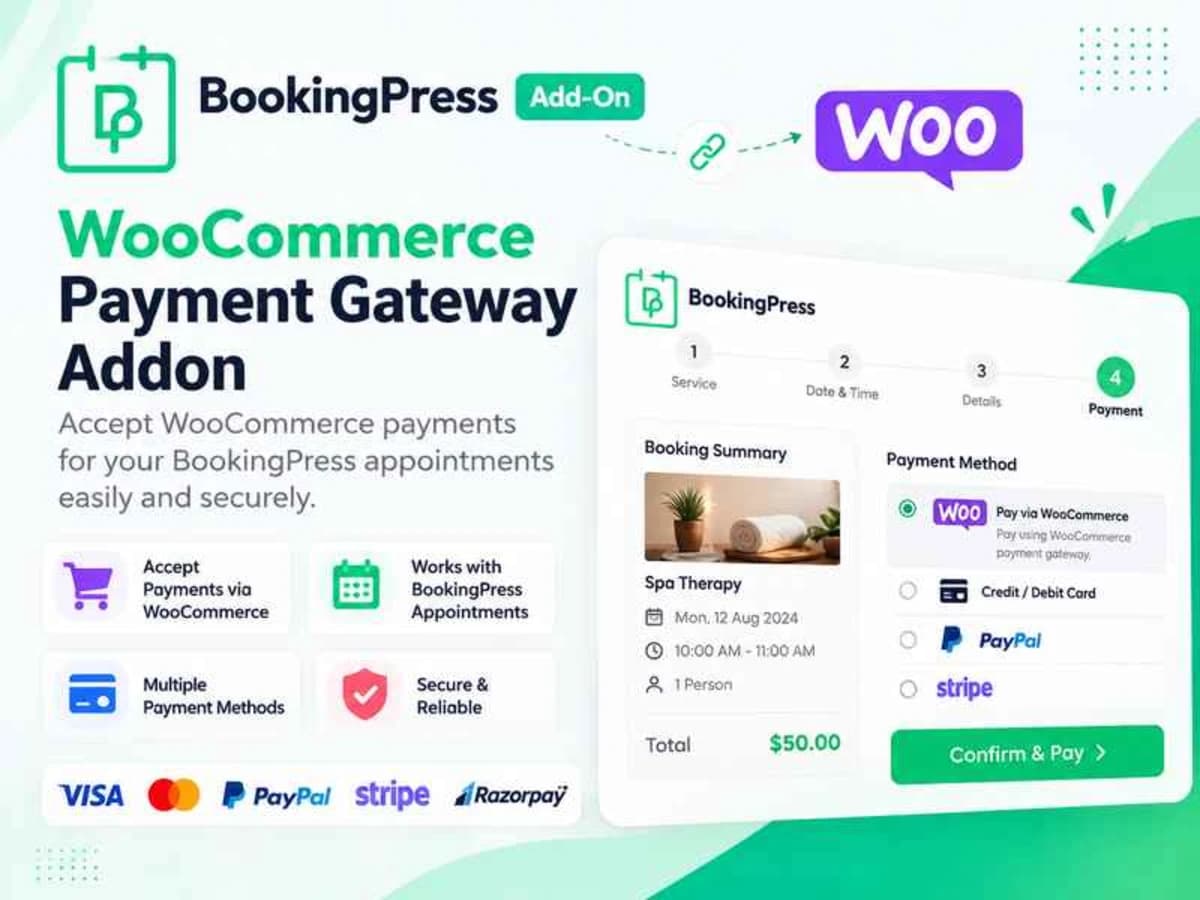
BookingPress handles appointments and payments internally with its own limited gateways. This addon bridges BookingPress with WooCommerce, so every booking payment is routed through the WooCommerce checkout instead. In practice, that means your appointment becomes a WooCommerce product/order and the customer pays using any gateway you have already configured in WooCommerce — Stripe, PayPal, Razorpay, bank transfer, COD, or anything else.
It is built for service-based sites that already rely on WooCommerce for payments and want a single, unified checkout. If you run a salon, clinic, coaching business, rental service, or any appointment-driven site and you do not want to maintain two separate payment systems, this addon solves that disconnect. You keep BookingPress for scheduling and availability, and let WooCommerce handle the money, taxes, coupons, and order management.
Core Features & Practical Value
1. Complete WooCommerce Checkout Integration
Instead of paying on a separate BookingPress screen, customers are redirected to the standard WooCommerce checkout. This gives you full control over checkout fields, shipping (if needed), taxes, and order notes without custom coding.
2. Use Any WooCommerce Payment Gateway for Bookings
The addon itself is not a gateway — it unlocks all your WooCommerce gateways for bookings. If your store already uses Stripe or PayPal for products, the same setup will now work for appointments. No need to buy and configure separate BookingPress gateways.
3. Automatic WooCommerce Order Creation for Every Booking
When a customer books a service, a corresponding WooCommerce order is generated and linked to that appointment. Payment status, order status, and booking status stay in sync, so you can manage everything from WooCommerce > Orders and BookingPress > Appointments in parallel.
4. Service-Level and Global Price Control
You can apply fixed amount or percentage-based adjustments at the service level — useful if you want to charge differently for a consultation versus a full-day workshop — or set a single global rule that applies to all BookingPress services. The price that appears at WooCommerce checkout reflects those rules accurately.
5. WooCommerce Coupon and Category Compatibility
Because bookings become WooCommerce products, you can restrict coupons and discounts by WooCommerce product category and tie them to specific services. For example, you can create a 20% coupon that only applies to the “Consultation” service category or allow store-wide coupons to work on both products and bookings.
6. Unified Customer Accounts and Invoicing
Customers see their bookings inside their regular My Account > Orders area. This simplifies refunds, partial payments, and invoicing since you can use your existing WooCommerce PDF invoice, email, and accounting plugins without building a separate flow for appointments.
Where This Addon Is Actually Useful
A product store that also offers appointments
If you sell physical products and also take bookings — like a beauty store that sells cosmetics and offers in-store services — this addon lets a customer add both a lipstick and a haircut appointment to the same cart and pay once. Stock and appointment logic stay separate, but the payment is unified.
Service businesses that need trusted gateways
Many site owners already have Stripe and PayPal fully configured and verified in WooCommerce. Rather than setting up those gateways again inside BookingPress and dealing with duplicate webhook URLs, they can just reuse the WooCommerce setup and keep all transaction records in one place.
Offering targeted promotions on bookings
Since WooCommerce coupons now apply to bookings, you can run promotions like “Book any service on Monday and get 15% off” or “First consultation at a flat $10 discount” by using WooCommerce’s native coupon system, category rules, and usage limits. It is much more flexible than BookingPress’s built-in options alone.
Product Details
Versionbookingpress-woocommerce-payment-gateway-addon-2.7.zip
CategoryWoocommerce Plugins
LicenseGPL
Downloads0
Last Updated29 Sept 2026
What You Get
Original GPL Licensed Files
Unlimited Domain Usage
Instant Download Access
Free Manual Updates
100% Clean & Virus Free
GPL vs Original
| Feature | GPL | Original |
|---|---|---|
| Original Files | ✅ | ✅ |
| Unlimited Downloads | ✅ | ✅ |
| Unlimited Websites | ✅ | ❌ |
| One-Time Payment | ✅ | ~ |
| No License Key | ✅ | ❌ |
| Author Support | ❌ | ✅ |