Product Info
| Uses | Unlimited Domains |
| Source | Original Authors |
| License | GPL |
| Version | automatewoo-6.9.0.zip |
| Last Updated | 23 Sept 2026 |
Get with Membership
Access 500+ products
Starter
₹799
5/day
Premium
₹1,299
10/day
Developer
₹1,999
15/day
Woocommerce Plugins
AutomateWoo - Automation for WooCommerce
Choose Plan
ONE YEAR UPDATE
1 Year download access
₹399
LIFETIME UPDATE
Lifetime download access
₹599
What You Get
Original GPL Licensed Files
Unlimited Domain Usage
Instant Download Access
Free Manual Updates
100% Clean & Virus Free
Secure Payment
Instant Access
Free Updates
Product Description
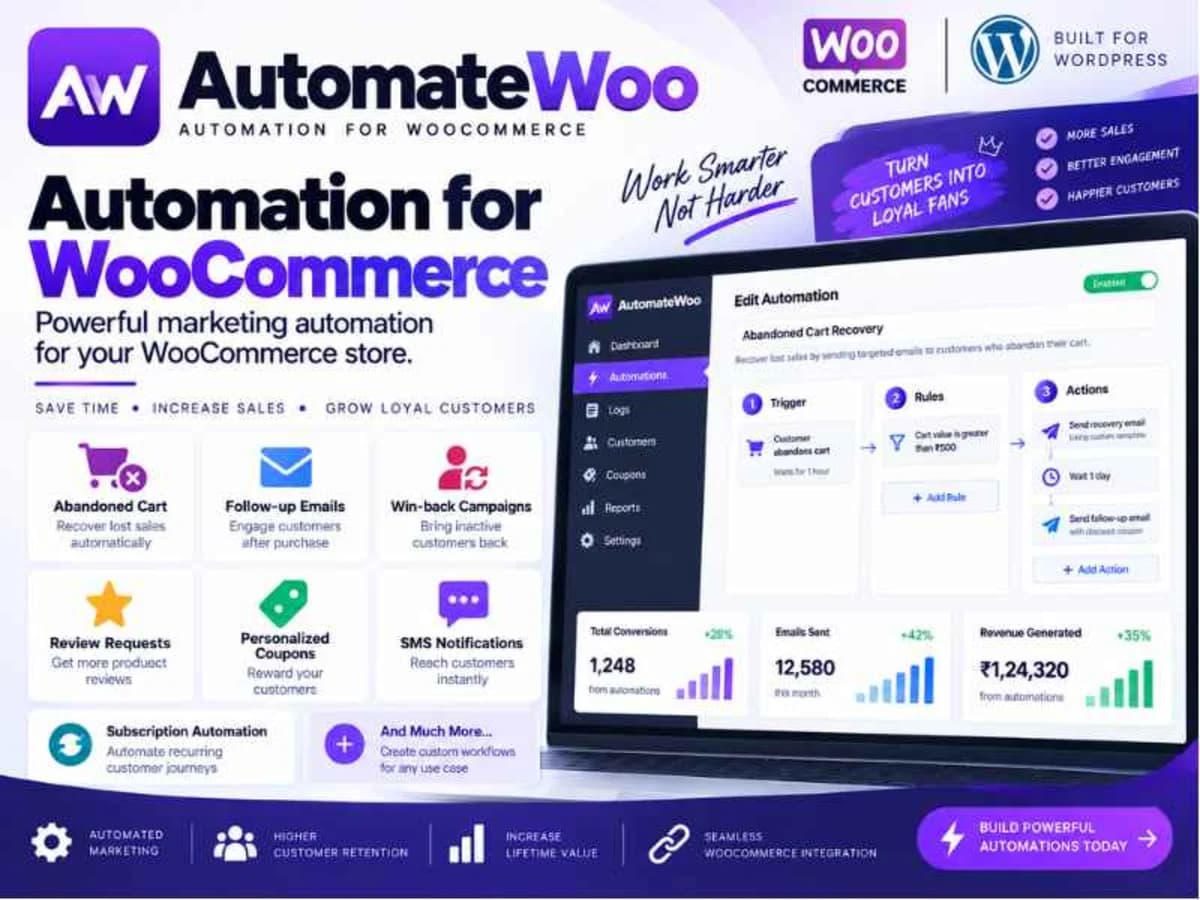
AutomateWoo is the marketing automation engine for WooCommerce that most store owners don’t realize they need until orders start slipping through the cracks. While WooCommerce handles products and checkout perfectly, it doesn’t natively follow up with customers after they buy, abandon a cart, or go quiet for months. This plugin fills that entire gap.
Think of it as a set of smart workflows that sit on top of your store. You create a trigger, like “customer abandons cart” or “order completed”, add a delay and conditions, and then define an action like sending an email, an SMS via Twilio, or generating a coupon. It is built for shop owners who are tired of manually chasing reviews, recovering lost sales one by one, or paying for a separate expensive email platform just to send targeted follow-ups. Instead of juggling five different tools, you keep everything inside WordPress, tied directly to your order and customer data.
Core Features That Make It Worth Testing
There are a lot of add-ons in the AutomateWoo family, but the core logic is what makes it so flexible. Here are the parts I find most practical when testing it on staging sites:
1. Abandoned Cart Recovery With Timed Emails
This is the reason most people install it first. You can set up a workflow that waits for, say, 20 minutes after a cart is abandoned, checks if the order is still unpaid, and then sends a friendly reminder. You can add a second follow-up a day later with a small discount. Because it tracks guest carts as well as logged-in users, the recovery rate is noticeably higher than a basic newsletter reminder.
2. Follow-Up Emails and Review Requests
After a customer buys a specific product or category, you can automatically ask for a review, suggest complementary products, or provide usage instructions. You can delay this by 7 or 14 days so it doesn’t feel pushy. The Review Rewards logic even lets you offer a coupon only after a verified review is left, with limits based on rating or number of reviews to prevent abuse.
3. Win-Back Campaigns for Inactive Customers
Stores lose a lot of revenue from customers who bought once and never returned. AutomateWoo lets you define “inactive” as no purchases in 60 or 90 days and automatically trigger a re-engagement email with personalized product recommendations or a special offer. It pulls directly from their purchase history, so the content feels relevant.
4. SMS Notifications via Twilio
Not every customer reads emails. For critical triggers like order status changes, back-in-stock alerts, or failed subscription payments, you can add an SMS action. It integrates directly with Twilio, so you can notify both customers and admins. I usually test this for high-value orders where a quick text prevents a support ticket.
5. Subscriptions and Card Expiry Automation
If you run WooCommerce Subscriptions, this is where AutomateWoo really pays for itself. You can automate renewal reminders, failed payment follow-ups, and crucially, card expiry notifications before a recurring payment fails. Sending a simple “your card expires next month” email reduces churn without you having to monitor it manually.
6. Personalized Coupons and Automatic VIP Tiers
Instead of creating generic coupon codes that get shared on coupon sites, the plugin generates unique, single-use coupons for each customer inside the workflow. You can also set rules to automatically tag a customer as VIP when their lifetime spend crosses a threshold, then trigger separate perks or early access emails for that segment.
Practical Ways to Use AutomateWoo on a Real Store
Recovering Lost Sales on Autopilot: A common setup is a two-step abandoned cart sequence. First email is a simple reminder with the cart contents, second email 24 hours later includes a 10% coupon that expires in 48 hours. You can exclude customers who have already purchased or who used a coupon recently to keep margins healthy.
Building Social Proof Without Chasing People: For a store selling skincare or apparel, you can create a workflow that triggers 10 days after order completion, checks that the order wasn’t refunded, and sends a review request. If the customer leaves a 4 or 5-star review, the next step automatically sends a thank-you coupon for their next order. It turns a manual task into a consistent loop.
Reducing Subscription Churn: If you sell subscription boxes or memberships, set up a workflow for “subscription renewal failed” and another for “card expires in 30 days.” The first sends instructions to update payment details, the second is a proactive heads-up. Both are far more effective than waiting for a customer to notice a failed charge.
Things to Keep in Mind Before You Install
AutomateWoo is powerful, but it is not a lightweight “install and forget” plugin. It creates background queues and scheduled actions, so your WordPress cron needs to be running reliably. On cheap shared hosting with disabled WP-Cron, workflows may be delayed, so consider a real cron job or a service like WP Crontrol to verify.
Also, this plugin works best when you already have transactional email set up properly. If your WordPress emails land in spam, your abandoned cart emails will too. Test your deliverability first with an SMTP plugin like WP Mail SMTP or a service like SendGrid. And as with any automation tool, always test every workflow on a staging site with a test order and a dummy email address before enabling it on a live store. Check for conflicts with caching plugins and other email customizers.
Product Details
Versionautomatewoo-6.9.0.zip
CategoryWoocommerce Plugins
LicenseGPL
Downloads0
Last Updated23 Sept 2026
What You Get
Original GPL Licensed Files
Unlimited Domain Usage
Instant Download Access
Free Manual Updates
100% Clean & Virus Free
GPL vs Original
| Feature | GPL | Original |
|---|---|---|
| Original Files | ✅ | ✅ |
| Unlimited Downloads | ✅ | ✅ |
| Unlimited Websites | ✅ | ❌ |
| One-Time Payment | ✅ | ~ |
| No License Key | ✅ | ❌ |
| Author Support | ❌ | ✅ |