Product Info
| Uses | Unlimited Domains |
| Source | Original Authors |
| License | GPL |
| Version | advanced-custom-fields-pro-6.8.10.zip |
| Last Updated | 15 Sept 2026 |
Get with Membership
Access 500+ products
Starter
₹799
5/day
Premium
₹1,299
10/day
Developer
₹1,999
15/day
Wordpress Plugins
Advanced Custom Fields Pro (ACF Pro )
Choose Plan
Lifetime Updates
Lifetime download access
₹599
One Year Updates
1 Year download access
₹399
What You Get
Original GPL Licensed Files
Unlimited Domain Usage
Instant Download Access
Free Manual Updates
100% Clean & Virus Free
Secure Payment
Instant Access
Free Updates
Product Description
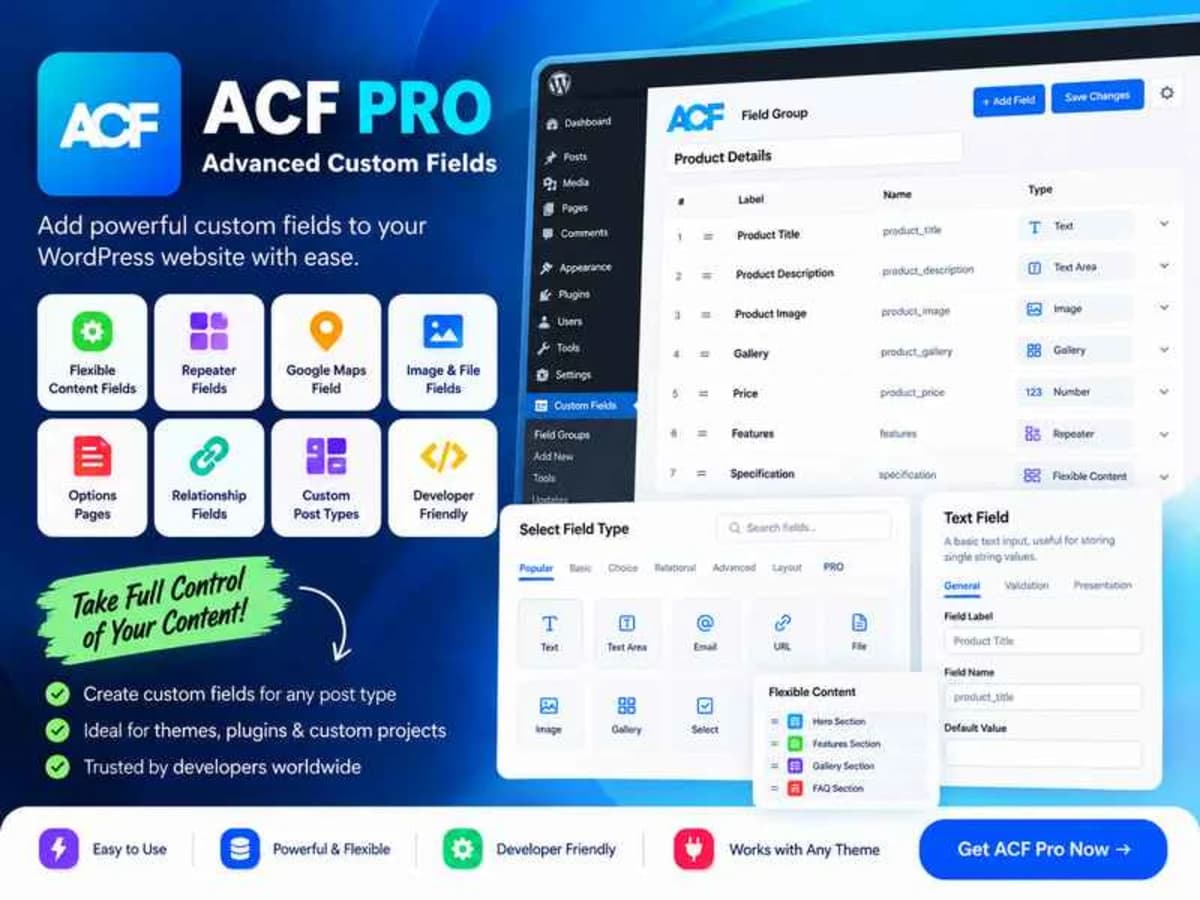
WordPress is great out of the box for posts and pages, but the moment a client asks for structured content – like a property listing with price, area, gallery and map, or a team member profile with social links and bio – the default editor hits its limits. Advanced Custom Fields Pro bridges that gap by letting you attach your own custom fields to almost anything in WordPress: posts, pages, custom post types, users, taxonomy terms, media, comments, and the options page.
You build field groups visually, assign them with location rules, and then display the data in your theme with simple template functions. For site owners and developers, this turns WordPress from a simple blog engine into a proper content framework. It’s especially valuable if you build custom themes, work with CPT UI, or need to give clients a clean, foolproof backend instead of asking them to paste shortcodes or edit raw HTML.
Core Features & Practical Value
ACF Pro goes well beyond the free version. Here are the parts that actually save time on real projects:
1. Flexible Content and Repeater Fields
The Repeater lets you create a set of sub-fields that can be repeated indefinitely – perfect for FAQs, specifications, or image + text rows. Flexible Content takes it further by allowing you to define multiple layouts inside one field group, so editors can build modular pages by choosing blocks like hero, testimonials, or feature grids, all from a structured interface.
2. Options Pages and Site-Wide Settings
Instead of hard-coding phone numbers, logos, or footer content into your theme, you can create a dedicated Options Page. This gives clients one central place to manage global settings that appear across the entire site, which is far more maintainable than updating templates every time something changes.
3. Gallery, Clone and Group Fields
The Gallery field provides a proper media manager for curated image sets, while the Group field helps you keep related fields organized. The Clone field is a real time-saver – you can reuse an existing field or entire field group without duplicating configuration, and recent fixes have made cloning more stable when the source group has been removed.
4. ACF Blocks for Gutenberg
You can register your own custom Gutenberg blocks with PHP and ACF fields, without writing heavy React. This is ideal for agencies that want bespoke blocks that match the design system exactly. Improvements like block HTML preloading and better JSX attribute handling (including boolean attributes and dateTime) make the block editing experience noticeably smoother and reduce those annoying preview reloads.
5. Relationship, Post Object and Taxonomy Controls
For connected content, the Relationship and Post Object fields let editors link related posts, while enhanced taxonomy filters let you narrow choices by post type or term. The UI stays responsive thanks to fixes for Select2 instances when duplicating rows, and the Color Picker now works reliably even inside front-end forms.
6. Local JSON and Developer-Friendly Tools
ACF can save field groups as JSON files inside your theme, which makes version control and deployment between staging and live much cleaner. You also get functions like get_field() and the_field() for templating, plus developer hooks like the $wp_block parameter in render callbacks for more control over block rendering.
Practical Use Cases
Building a Custom Portfolio or Directory Site
Say you’re creating a real estate or car dealership site. You can create a custom post type for Listings and add fields for price, location, bedrooms, video tour, and a gallery. Editors just fill in the boxes, and your template pulls the values consistently on every listing, with filtering by location or type handled cleanly.
Creating Client-Editable Page Sections
Instead of giving clients a dozen shortcodes, you can build a Flexible Content field called Page Sections. They can add, reorder and remove sections like “Testimonial Slider” or “Pricing Table” themselves. You control the markup and styling, they control the content, and no one has to touch the code.
Centralizing Brand Assets and Theme Options
For business websites, an Options Page for header, footer, social links and default SEO fields avoids scattered settings. If the client changes their phone number once, it updates everywhere. Combined with Group fields, the admin stays tidy even when you have 30+ global options.
Product Details
Versionadvanced-custom-fields-pro-6.8.10.zip
CategoryWordpress Plugins
LicenseGPL
Downloads0
Last Updated15 Sept 2026
What You Get
Original GPL Licensed Files
Unlimited Domain Usage
Instant Download Access
Free Manual Updates
100% Clean & Virus Free
GPL vs Original
| Feature | GPL | Original |
|---|---|---|
| Original Files | âś… | âś… |
| Unlimited Downloads | âś… | âś… |
| Unlimited Websites | ✅ | ❌ |
| One-Time Payment | âś… | ~ |
| No License Key | ✅ | ❌ |
| Author Support | ❌ | ✅ |