Product Info
| Uses | Unlimited Domains |
| Source | Original Authors |
| License | GPL |
| Version | yaymail-pro-4.4.5.zip |
| Last Updated | 28 Sept 2026 |
Get with Membership
Access 500+ products
Starter
₹799
5/day
Premium
₹1,299
10/day
Developer
₹1,999
15/day
Wordpress Plugins
YayMail Pro - WooCommerce Email Customizer
Choose Plan
ONE YEAR UPDATE
1 Year download access
₹399
LIFETIME UPDATE
Lifetime download access
₹599
What You Get
Original GPL Licensed Files
Unlimited Domain Usage
Instant Download Access
Free Manual Updates
100% Clean & Virus Free
Secure Payment
Instant Access
Free Updates
Product Description
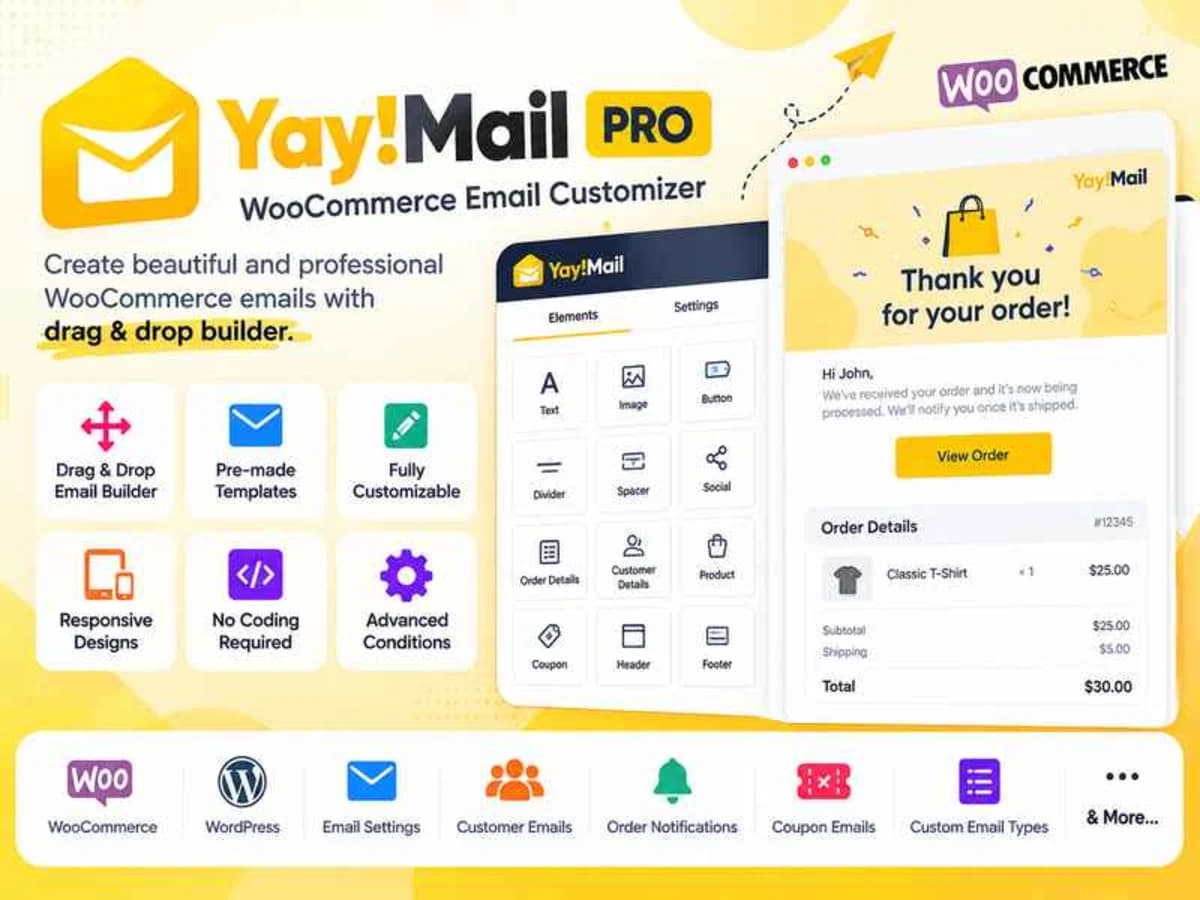
YayMail Pro is a visual builder for every single WooCommerce transactional email. By default, WooCommerce sends plain, hard-to-brand emails for new orders, processing orders, completed orders, customer notes, password resets, and failed transactions. This plugin replaces that default template system with a drag-and-drop interface inside WordPress.
It is built specifically for store owners, freelancers, and small agencies who want branded emails without touching PHP template files or hiring a developer for inline CSS. If you have ever tried to edit the WooCommerce email files in your child theme and struggled with table layouts for Gmail and Outlook, this solves that exact problem. You see your changes live and you control the logo, colors, typography, and structure from one screen.
Core Features That Make It Worth Testing
Instead of listing everything on the sales page, here are the parts that actually matter in day-to-day store management:
True Drag and Drop Email Builder
You get a block-based canvas where you can add rows, columns, and content blocks exactly where you want them. No coding needed to move the order table above the customer address or to insert a coupon banner after the thank-you text. The layout logic is handled for you with email-safe tables in the background.
Single-Window Content and Media Editing
Everything is edited in one place. Click on a text block to rewrite it, click on an image to replace your logo, or click on a button to change its link. You do not have to jump between WordPress settings, WooCommerce settings, and a separate preview tab. It keeps the workflow fast, especially when you are matching the email to your brand style guide.
Full Style Control for Fonts, Colors and Spacing
For each element you can adjust font family and size, text color, background color, padding, margin, borders, and button styles. This is crucial because the default WooCommerce email ignores most of your theme styles. With YayMail Pro you can apply your exact brand palette and make the header, footer, and body look consistent with your website and checkout.
Live Preview for Every WooCommerce Email Type
You can switch between the different email triggers — new order, cancelled order, refunded, customer invoice, etc. — and see how each one looks instantly. You can also inject real order data into the preview so you see an actual product table, totals, and shipping address, not just dummy placeholders.
Send a Real Test Email Before Saving
This one saves you a lot of embarrassment. After customizing, you can send a test version to your own inbox to check how it renders in Gmail, Outlook, or on mobile. You can catch broken images, awkward spacing, or missing shortcodes before a real customer ever sees it.
Compatible Shortcodes and Order Details
The builder supports dynamic elements like order number, order date, billing details, payment method, product lists, and customer notes. You just drop the element in and it pulls the correct data automatically when WooCommerce fires the email.
Where YayMail Pro Fits Into Real Projects
1. Branding a New WooCommerce Store Before Launch
When you launch a store, the order confirmation is often the first email a customer opens. Instead of sending the default grey WooCommerce header, you can build a fully branded receipt with your logo, brand colors, social links, and a friendly thank-you message. For freelancers, this lets you show a client a polished end-to-end experience during the demo phase.
2. Running a Store That Needs Marketing Inside Transactional Emails
Transactional emails have very high open rates. Store owners use YayMail Pro to add cross-sell blocks, discount codes for the next purchase, or Instagram follow buttons directly into the completed order or processing order emails. You can set this up visually and update it for seasonal campaigns without editing template files again.
3. Fixing Client Complaints About Ugly or Confusing Emails
Many clients complain that customers cannot find the shipping address or that the email looks broken on phones. With column controls and padding adjustments, you can rebuild the layout to be mobile-friendly, make the important information more prominent, and test it until it looks clean on every device.
Product Details
Versionyaymail-pro-4.4.5.zip
CategoryWordpress Plugins
LicenseGPL
Downloads0
Last Updated28 Sept 2026
What You Get
Original GPL Licensed Files
Unlimited Domain Usage
Instant Download Access
Free Manual Updates
100% Clean & Virus Free
GPL vs Original
| Feature | GPL | Original |
|---|---|---|
| Original Files | ✅ | ✅ |
| Unlimited Downloads | ✅ | ✅ |
| Unlimited Websites | ✅ | ❌ |
| One-Time Payment | ✅ | ~ |
| No License Key | ✅ | ❌ |
| Author Support | ❌ | ✅ |