Product Info
| Uses | Unlimited Domains |
| Source | Original Authors |
| License | GPL |
| Version | wordpress-automatic-plugin-3.137.1.zip |
| Last Updated | 25 Sept 2026 |
Get with Membership
Access 500+ products
Starter
₹799
5/day
Premium
₹1,299
10/day
Developer
₹1,999
15/day
Wordpress Plugins
WordPress Automatic Plugin
Choose Plan
ONE YEAR UPDATE
1 Year download access
₹399
LIFETIME UPDATE
Lifetime download access
₹599
What You Get
Original GPL Licensed Files
Unlimited Domain Usage
Instant Download Access
Free Manual Updates
100% Clean & Virus Free
Secure Payment
Instant Access
Free Updates
Product Description
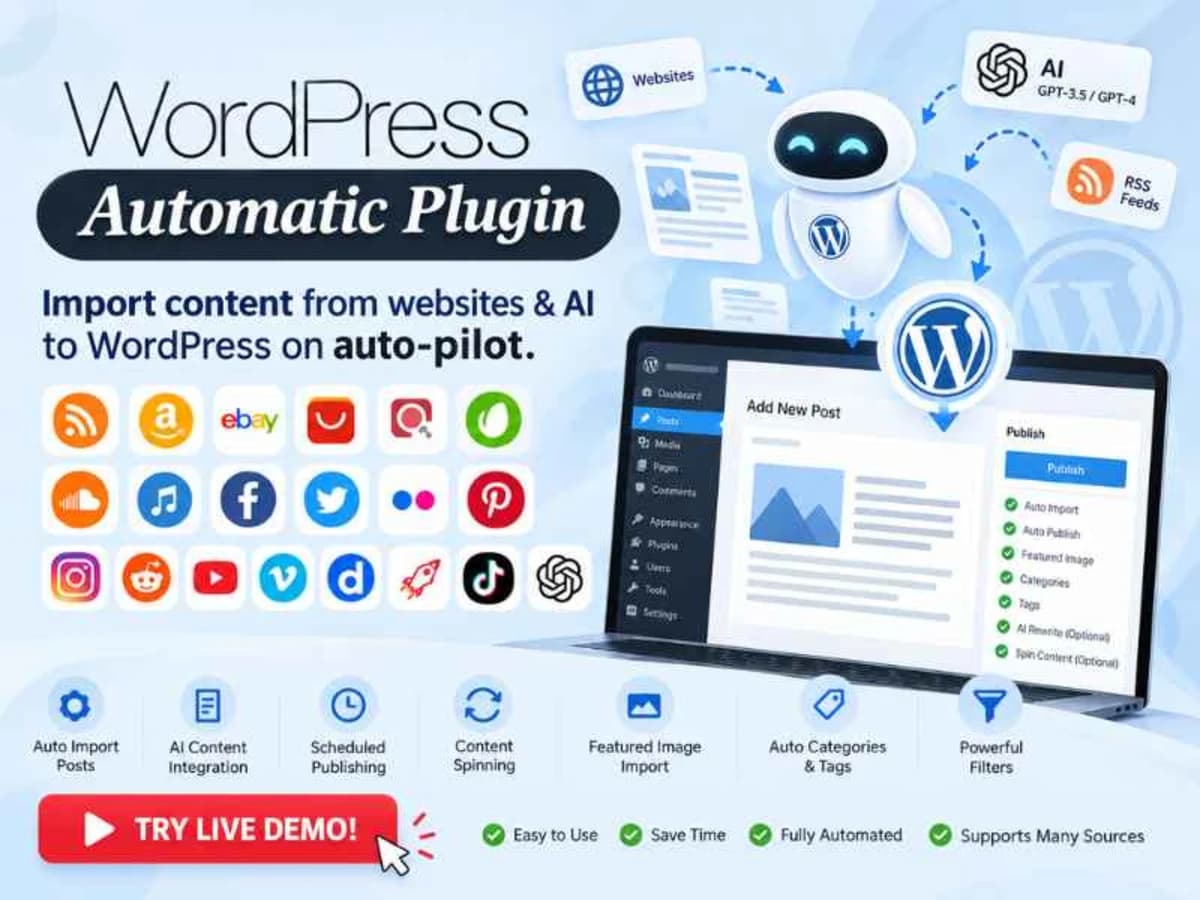
WP Automatic is an auto-blogging and content importer for WordPress. Instead of manually copying content from different sources, it lets you set up campaigns that automatically fetch content and publish it as WordPress posts on a schedule. It’s built for people who run niche sites, curation blogs, deal aggregators, or auto-updating news hubs and want to keep them fresh without writing everything by hand.
It supports a wide range of sources in one dashboard — RSS feeds, multi-page scraping, YouTube, Amazon products, Reddit, Facebook, Instagram, SoundCloud and more. You create a campaign, define your keywords or source URLs, set up post templates, filters, and publishing rules, and the plugin handles the fetching, processing, and posting. For learners, it’s also a very practical way to understand cron jobs, content parsing, templating, and how WordPress handles custom post creation at scale.
Core Features & Practical Value
Instead of listing every minor patch note, here are the parts that actually matter when you use this plugin day to day:
1. Campaign-Based Automation With Time Control
You can create unlimited campaigns for different sources and keywords. The newer option to limit processing time per campaign is really useful — if a campaign pulls a lot of items, it won’t hog your server resources or timeout. You can keep things light and stable even on shared hosting.
2. Feeds and Multi-Page Scraper Improvements
The Feeds module and Multi-page scraper have seen a lot of fixes. The visual selector now works correctly even when you add multiple feed URLs, it can import from RSS feeds that don’t include a link tag, and it correctly handles lazy-loaded images even when src attributes use single quotes. For scraping, you can now set a fixed pattern for next page URLs like example.com/page/[page_number] and even tell it to skip posts older than a specific date, which saves a ton of cleanup later.
3. Amazon and YouTube Handling Without Headaches
Amazon integration is often the reason people get this plugin. It now supports API version 5 and has an improved algorithm to bypass blocks when posting without an API key, including the fix for the _c URL error. For YouTube, when you post from a specific channel it uses the playlistItems endpoint, which uses a lot less quota — so your API key lasts much longer.
4. Better Content Templating and Replacement
You get much more control over how the final post looks. There are options to set default values for tags that would otherwise return empty, a search and replace option that applies to content only, and a new template tag [title_words_as_hashtags] that turns title words into hashtags. The option to strip original links is also more accurate now and no longer affects aside tags, and featured images extracted from content now handle single quotes properly.
5. Social Platform Specific Fixes
Each social source has quirks, and those have been addressed. Facebook events now correctly import descriptions and handle non-Latin characters in place names, plus you can skip posts that were shared from other posts. Reddit now returns a clean yes/no for item_nsfw and you can set the post author to match the original Reddit author. Instagram cached images get a correct filename when generated from the title, and SoundCloud is fully working again.
6. Translation and Small Quality-of-Life Fixes
Google translation from Japanese no longer breaks when brackets are in the text, there’s a new button to reactivate all keywords at once on the campaign page, and several UI fixes make managing many campaigns less confusing.
Practical Use Cases
1. Niche Autoblog for Practice: Set up a test site for movie trailers, tech news, or recipes. Create a YouTube or RSS campaign with 2-3 keywords, set it to publish one post per hour as draft, and study how titles, featured images, tags, and categories are generated. Perfect for learning templating and cron scheduling without paying for content.
2. Affiliate Deal or Product Aggregator: Use the Amazon module to pull products for a specific niche, add your affiliate tag, rewrite titles with your template, and auto-assign categories. Combined with the search/replace and default tag values, you can build a clean-looking store layout to practice WooCommerce or affiliate theme styling.
3. Curated Community Feed: Combine Reddit and Feeds campaigns to curate content from subreddits and blogs you follow. With filters like skipping old posts, skipping shared Facebook posts, and controlling nsfw flags, you can keep the feed relevant and learn how to moderate automated publishing before moving anything to a live site.
Product Details
Versionwordpress-automatic-plugin-3.137.1.zip
CategoryWordpress Plugins
LicenseGPL
Downloads0
Last Updated25 Sept 2026
What You Get
Original GPL Licensed Files
Unlimited Domain Usage
Instant Download Access
Free Manual Updates
100% Clean & Virus Free
GPL vs Original
| Feature | GPL | Original |
|---|---|---|
| Original Files | ✅ | ✅ |
| Unlimited Downloads | ✅ | ✅ |
| Unlimited Websites | ✅ | ❌ |
| One-Time Payment | ✅ | ~ |
| No License Key | ✅ | ❌ |
| Author Support | ❌ | ✅ |