πŸŽ‰ Special Offer β€” Save 10% on Everything! Use Coupon SAVE10
Updraftplus Premium

Product Info

UsesUnlimited Domains
SourceOriginal Authors
LicenseGPL
Versionupdraftplus-premium-2.26.7.26.zip
Last Updated15 Sept 2026

Get with Membership

Access 500+ products

Starter

β‚Ή799

5/day

Premium

β‚Ή1,299

10/day

Developer

β‚Ή1,999

15/day

Get Membership
Wordpress Plugins

Updraftplus Premium

Choose Plan

Lifetime Updates

Lifetime download access

β‚Ή599

One Year Updates

1 Year download access

β‚Ή399

What You Get

Original GPL Licensed Files
Unlimited Domain Usage
Instant Download Access
Free Manual Updates
100% Clean & Virus Free
Secure Payment
Instant Access
Free Updates

Product Description

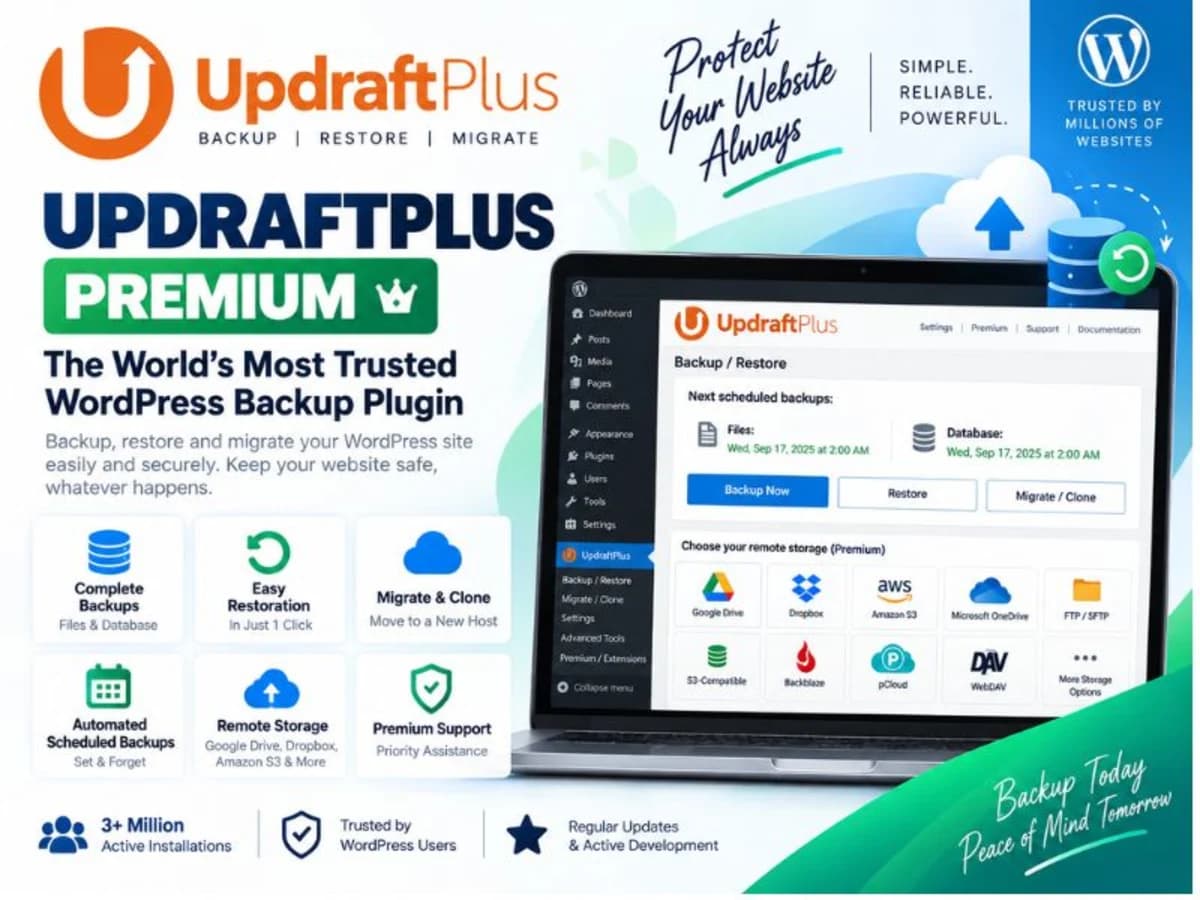
UpdraftPlus Premium is the paid extension of the most widely used WordPress backup plugin. While the free version handles basic site backups, the premium build is designed for site owners who can’t afford to lose data or spend hours manually moving sites. It solves a very simple but serious problem: keeping complete, restorable copies of your entire WordPress site β€” files, database, plugins, themes, and uploads β€” without relying on your hosting provider. You can schedule automatic backups, send them to multiple remote locations like Google Drive, Dropbox, Amazon S3, or Google Cloud, and restore or migrate a site with a few clicks. For freelancers, shop owners, and bloggers who update content regularly, it removes the risk of a bad update, a server failure, or a human mistake turning into a permanent loss. It is best suited for anyone managing one or more WordPress sites where uptime matters β€” business sites, WooCommerce stores, membership sites, or client portfolios where you need quick rollbacks and reliable off-site storage. Core Features and Why They Matter in Practice These are the features you will actually use week to week, not just bullet points on a sales page: 1. Scheduled and Incremental Backups You can set exact schedules for files and database separately β€” for example, daily database backups and weekly full file backups. Incremental backups are the real time-saver here; instead of re-uploading your entire site every time, it only backs up what changed, which keeps server load low and storage costs down. 2. Multiple Remote Storage Destinations You are not locked to one cloud. Premium lets you send backups to Google Drive, Dropbox, OneDrive, Amazon S3, Azure, SFTP, and UpdraftVault, and you can send the same backup to more than one location at once. This is useful when you want a primary drive for quick access and a secondary S3 bucket for long-term archiving. 3. One-Click Restores and Direct Site Cloning Restoring does not require FTP or phpMyAdmin. From the WordPress dashboard you can pick a backup set and restore files, database, or both. The built-in migrator/cloner also lets you copy a site to a new domain or subdomain, automatically handling search-and-replace for URLs. 4. Encrypted and Complete Backups Premium adds database encryption and the ability to include or exclude specific files and tables. The recent fix for interrupted Dropbox backups and the improved handling of exclude fields in read-only vs. edit mode makes this much more reliable β€” you can confidently exclude cache folders or large backup directories without breaking the job. 5. Centralized Management with UpdraftCentral If you look after several sites, UpdraftCentral lets you trigger, monitor, and restore backups from a single dashboard. The abstracted client code and fixes around filesystem credential requests make remote management smoother and prevent fatal errors when WordPress asks for FTP details. 6. Smarter Background Processing Under the hood, the plugin now fetches history log data via AJAX instead of embedding it in data attributes, handles BinZip to PclZip fallback more patiently, and has cleaned up deprecated jQuery calls. What this means for you is fewer stalled backups, cleaner logs when you need to debug, and better compatibility with modern WordPress and older browsers alike. Practical Use Cases for UpdraftPlus Premium Before a major update: You are about to update WooCommerce, a page builder, or PHP itself. Run a full manual backup to Google Drive, perform the update, and if something breaks, roll back in under five minutes without contacting your host. Client site handover and migration: You built a site on a staging URL and need to move it to the client’s live domain. Create a backup on staging, download it or send it via the migrator, then restore it on the live server. The plugin takes care of URL replacement and file permissions. Automated off-site protection for a content-heavy blog: For a site publishing daily, you can schedule encrypted nightly database backups to Dropbox and weekly full backups to Google Cloud. Even if the server is compromised, you have clean, recent copies stored completely outside the hosting environment.

Product Details

Versionupdraftplus-premium-2.26.7.26.zip
CategoryWordpress Plugins
LicenseGPL
Downloads0
Last Updated15 Sept 2026

What You Get

Original GPL Licensed Files
Unlimited Domain Usage
Instant Download Access
Free Manual Updates
100% Clean & Virus Free

GPL vs Original

FeatureGPLOriginal
Original Filesβœ…βœ…
Unlimited Downloadsβœ…βœ…
Unlimited Websitesβœ…βŒ
One-Time Paymentβœ…~
No License Keyβœ…βŒ
Author SupportβŒβœ…

Cart

Your cart is empty

Add products to get started