Product Info
| Uses | Unlimited Domains |
| Source | Original Authors |
| License | GPL |
| Version | uncode-wordpress-theme-2.11.5.zip |
| Last Updated | 29 Sept 2026 |
Get with Membership
Access 500+ products
Starter
₹799
5/day
Premium
₹1,299
10/day
Developer
₹1,999
15/day
Woocommerce Themes
Uncode - Creative & WooCommerce WordPress Theme
Choose Plan
ONE YEAR UPDATE
1 Year download access
₹399
LIFETIME UPDATE
Lifetime download access
₹599
What You Get
Original GPL Licensed Files
Unlimited Domain Usage
Instant Download Access
Free Manual Updates
100% Clean & Virus Free
Secure Payment
Instant Access
Free Updates
Product Description
Uncode - Creative & WooCommerce WordPress Theme
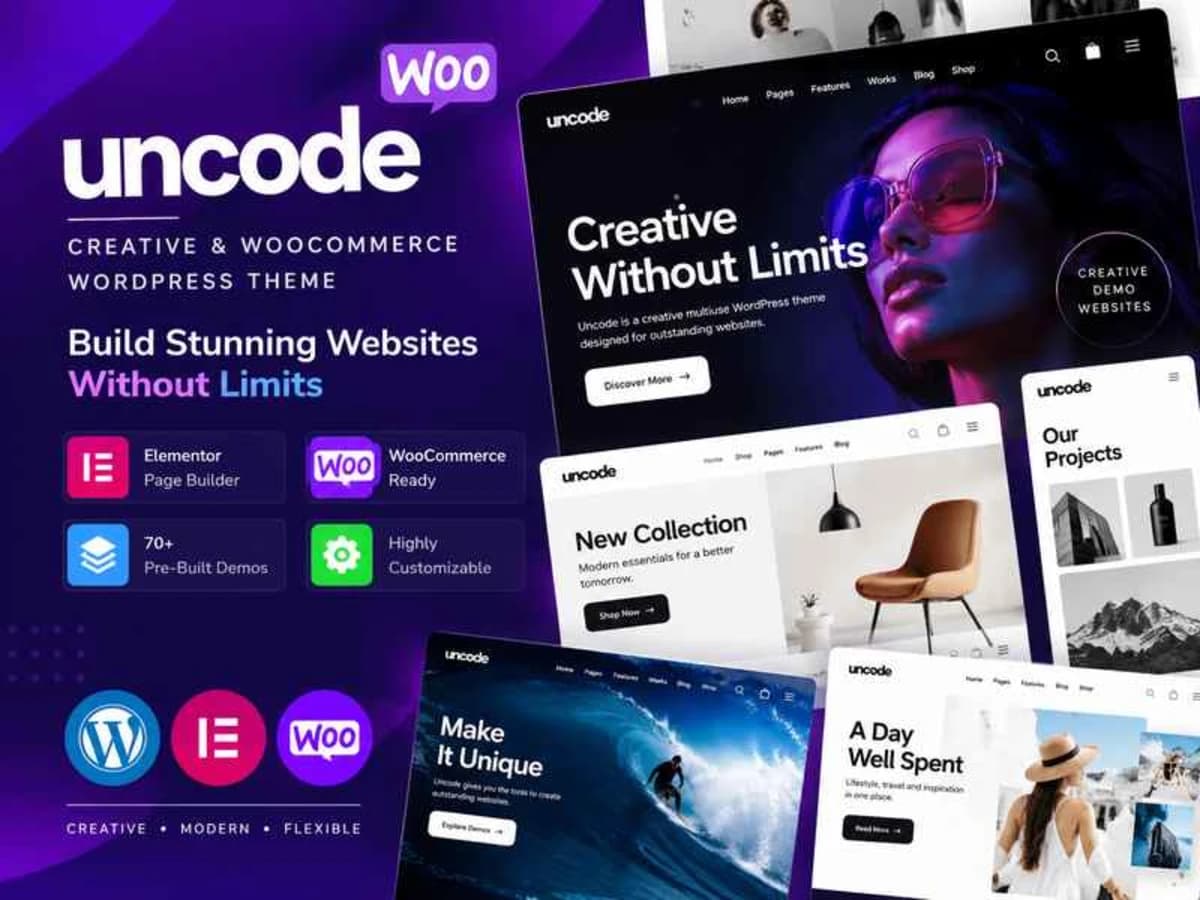
Uncode is a highly flexible creative WordPress theme built for people who want full visual control without writing code from scratch. It is centered around an enhanced WPBakery Page Builder but adds a lot of its own structure on top, so you can build agency sites, portfolios, shops, blogs, and business pages from one foundation. If you have struggled with themes that look great in the demo but are hard to adapt, this one solves that by giving you a massive library of importable layouts and modular content pieces you can mix and match.
It is especially useful for designers, freelancers, and small studio owners who handle different types of clients. Instead of buying a separate theme for a restaurant, then another for a portfolio, then another for a WooCommerce store, you have a single toolkit that can be reshaped for each brief. The core idea is to let you start from a polished, close-to-finished design and then customize typography, grids, headers, and portfolio layouts until it feels like a custom build.
Core Features That Make Uncode Worth Testing
1. Enhanced Frontend and Backend Building
Uncode comes with a refined version of WPBakery Page Builder. You can work in the familiar backend interface or switch to the frontend editor and see your changes live on the page. For long sales pages or creative homepages, editing on the frontend saves a lot of back-and-forth and helps you get spacing and hierarchy right much faster.
2. 70+ Pre-built Demos with One-Click Import
Rather than starting from a blank canvas, you can import a complete demo site with one click and get the same pages, sliders, portfolios, and shop layouts you saw in the preview. This is practical when you need to show a client a working draft quickly. Import one demo, replace images and text, and you have a solid first version in hours, not days.
3. Wireframes Plugin With 550+ Section Templates
Beyond full demos, the bundled Wireframes plugin gives you over 550 individual section designs — heroes, pricing tables, team grids, testimonials, contact blocks, and more. You do not have to import an entire demo if you only like one part of it. Just insert a few wireframe sections into any page and combine them into a new layout. This modular approach is what makes Uncode feel less like a template and more like a design system.
4. Content Block System for Headers, Footers and More
This is one of Uncode’s signature features. You can build a piece of content — like a custom header, footer, mega menu, or promotional banner — save it as a Content Block, and then assign it wherever you need it. Want a different header for your portfolio and another for your shop? No problem. It gives you real control over site-wide structure without touching theme files.
5. Pixel-Perfect Control and Design Details
Uncode exposes a lot of fine-tuning options: adaptive grid system, advanced typography controls, custom spacing, button styles, image shapes, and scroll effects. The difference is noticeable when you work on high-end portfolios or lookbooks where alignment and white space matter. You can adjust column gaps, set unequal grids, and create that clean, editorial feel that is hard to achieve with basic builders.
6. Native WooCommerce and Portfolio Focus
The theme handles shops and creative portfolios equally well. Product grids, filtering, and portfolio layouts are built-in and styled to match the rest of the site. For agencies that offer both branding and eCommerce, this means you can present case studies and products with the same visual language.
Where Uncode Fits Into Real Projects
For Freelance Designers Juggling Multiple Niches: Imagine you get three inquiries in one week — a photographer who needs a minimal portfolio, a cafe that wants an online menu with reservations, and a small clothing brand that needs a shop. With Uncode you can use three different demos as starting points but manage all of them with the same theme workflow, which reduces learning time and maintenance.
For Agencies Building Client Sites Faster: Agencies often need to create quick, impressive first drafts to get approval. By importing a Wireframe landing page and swapping in the client’s branding, you can send a live staging link on day one. Then you use the Content Block system to create reusable headers and footers that keep the whole site consistent as you expand it.
For Learning Advanced Layout Techniques: If you are learning how WordPress themes structure grids, dynamic portfolios, and adaptive typography, this file is excellent for local practice. Deconstruct how the demos use rows, content blocks, and media settings. Try rebuilding a homepage from scratch using only wireframe sections to understand how spacing and hierarchy are controlled.
Product Details
Versionuncode-wordpress-theme-2.11.5.zip
CategoryWoocommerce Themes
LicenseGPL
Downloads0
Last Updated29 Sept 2026
What You Get
Original GPL Licensed Files
Unlimited Domain Usage
Instant Download Access
Free Manual Updates
100% Clean & Virus Free
GPL vs Original
| Feature | GPL | Original |
|---|---|---|
| Original Files | ✅ | ✅ |
| Unlimited Downloads | ✅ | ✅ |
| Unlimited Websites | ✅ | ❌ |
| One-Time Payment | ✅ | ~ |
| No License Key | ✅ | ❌ |
| Author Support | ❌ | ✅ |