🎉 Special Offer — Save 10% on Everything! Use Coupon SAVE10
Slider Revolution

Product Info

UsesUnlimited Domains
SourceOriginal Authors
LicenseGPL
Versionslider-revolution-7.1.8.zip
Last Updated14 Sept 2026

Get with Membership

Access 500+ products

Starter

₹799

5/day

Premium

₹1,299

10/day

Developer

₹1,999

15/day

Get Membership
Wordpress Plugins

Slider Revolution

Choose Plan

Lifetime Updates

Lifetime download access

₹599

One Year Updates

1 Year download access

₹399

What You Get

Original GPL Licensed Files
Unlimited Domain Usage
Instant Download Access
Free Manual Updates
100% Clean & Virus Free
Secure Payment
Instant Access
Free Updates

Product Description

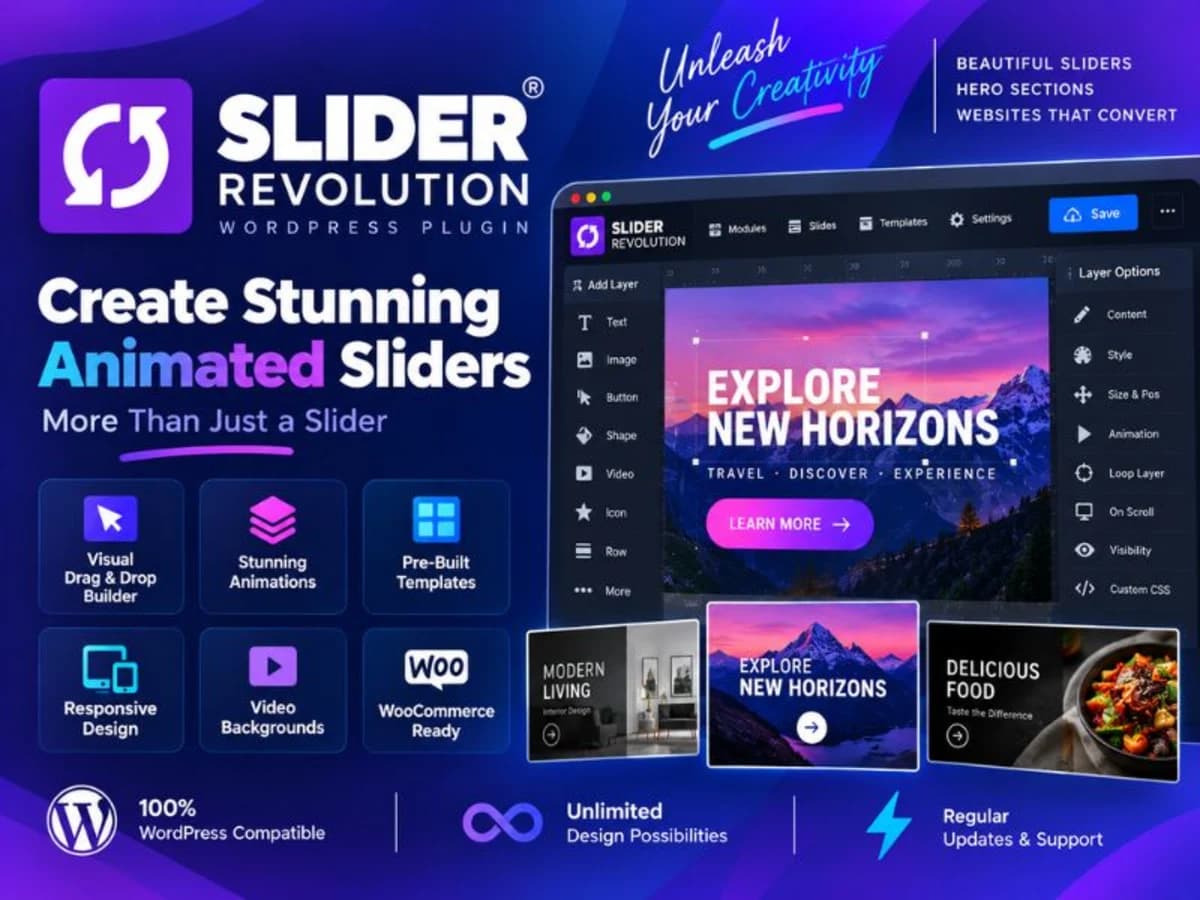
Slider Revolution is not just a slider plugin, even though the name suggests that. It’s a full visual builder for animated, layered content blocks inside WordPress. You can create hero sections, carousels, image sliders, presentation modules, and full-width storytelling sections without writing code. It’s built for site owners who need more than a static image banner. If you want to layer text, buttons, images, and video on top of each other, control exactly how each element enters and exits, and make it all look sharp on mobile, this is the tool that handles it. Agencies use it to build client homepages quickly, store owners use it for product carousels and promo sliders, and bloggers use it to turn featured posts into an interactive header. It solves the problem of WordPress default blocks feeling too rigid when you need motion and precise layout control. Core Features & Practical Value Here are the parts of Slider Revolution that are actually useful in day-to-day builds, not just bullet points on a sales page: 1. True Drag-and-Drop Visual Editor You get a canvas where you place every layer exactly where you want it. No shortcode guessing. You can drag text, images, shapes, buttons, and video layers, set their alignment, and see the spacing instantly. This is much faster than trying to fake layered layouts with columns and custom CSS. 2. Layer Animation Timeline This is the heart of the plugin. Each layer has its own timeline for entrance, idle, and exit animations. You can set duration, easing, delay, and looping effects. The timeline view lets you stack animations so one text line fades in, then a button slides up right after. It’s detailed, but once you understand it, you can build polished, app-like transitions. 3. Ready-Made Templates and Module Library You don’t have to start from a blank slide. The library includes hundreds of pre-built sliders, hero blocks, and carousels. Import one, swap your images and text, and you have a professional section in minutes. For learning, this is perfect — you can reverse-engineer how complex effects were built. 4. Advanced Responsive Controls Every layer can have different positioning, font size, and visibility for desktop, tablet, and mobile. You can hide heavy video layers on mobile or reduce text size automatically. This saves you from writing separate media queries and keeps your sliders from breaking on smaller screens. 5. Multiple Content Sources Beyond manual slides, you can build post-based sliders that pull featured images and titles directly from your blog, WooCommerce products, or custom post types. You can also embed YouTube, Vimeo, and HTML5 video backgrounds. It’s handy for dynamic homepages that update themselves when you publish new content. 6. Carousel, Scroll Effects and Add-Ons The carousel mode lets you turn any slider into a swipeable, infinite carousel with focus scaling and spacing controls. Combined with parallax, layer blur, and scroll-based effects, you can create depth without extra plugins. Most of these options are toggles, not code. Practical Use Cases: Where It Fits in a Real Project 1. A Business Homepage with a Story-Driven Hero Instead of a plain banner, you can build a full-screen hero where a background image slowly zooms, a headline fades in from the bottom, and a call-to-action button appears last with a subtle bounce. Add a scroll-down indicator and you have a modern agency-style header that would otherwise require a developer. 2. WooCommerce Product Showcase For an online store, create a product carousel that pulls your best-selling items automatically. Each slide shows the product image, price, and an Add to Cart button. Customers can swipe through on mobile, and you can set it to autoplay with pause on hover. 3. Portfolio or Content Slider for Publishers If you run a blog or news site, use a post-based slider on your homepage to highlight featured articles. It pulls the post title, category, and featured image, so you never have to update the slider manually. Great for keeping the homepage fresh.

Product Details

Versionslider-revolution-7.1.8.zip
CategoryWordpress Plugins
LicenseGPL
Downloads0
Last Updated14 Sept 2026

What You Get

Original GPL Licensed Files
Unlimited Domain Usage
Instant Download Access
Free Manual Updates
100% Clean & Virus Free

GPL vs Original

FeatureGPLOriginal
Original Files
Unlimited Downloads
Unlimited Websites
One-Time Payment~
No License Key
Author Support

Cart

Your cart is empty

Add products to get started