Product Info
| Uses | Unlimited Domains |
| Source | Original Authors |
| License | GPL |
| Version | media-cleaner-pro-7.2.9.zip |
| Last Updated | 29 Sept 2026 |
Get with Membership
Access 500+ products
Starter
₹799
5/day
Premium
₹1,299
10/day
Developer
₹1,999
15/day
Wordpress Plugins
Media Cleaner Pro
Choose Plan
ONE YEAR UPDATE
1 Year download access
₹399
LIFETIME UPDATE
Lifetime download access
₹599
What You Get
Original GPL Licensed Files
Unlimited Domain Usage
Instant Download Access
Free Manual Updates
100% Clean & Virus Free
Secure Payment
Instant Access
Free Updates
Product Description
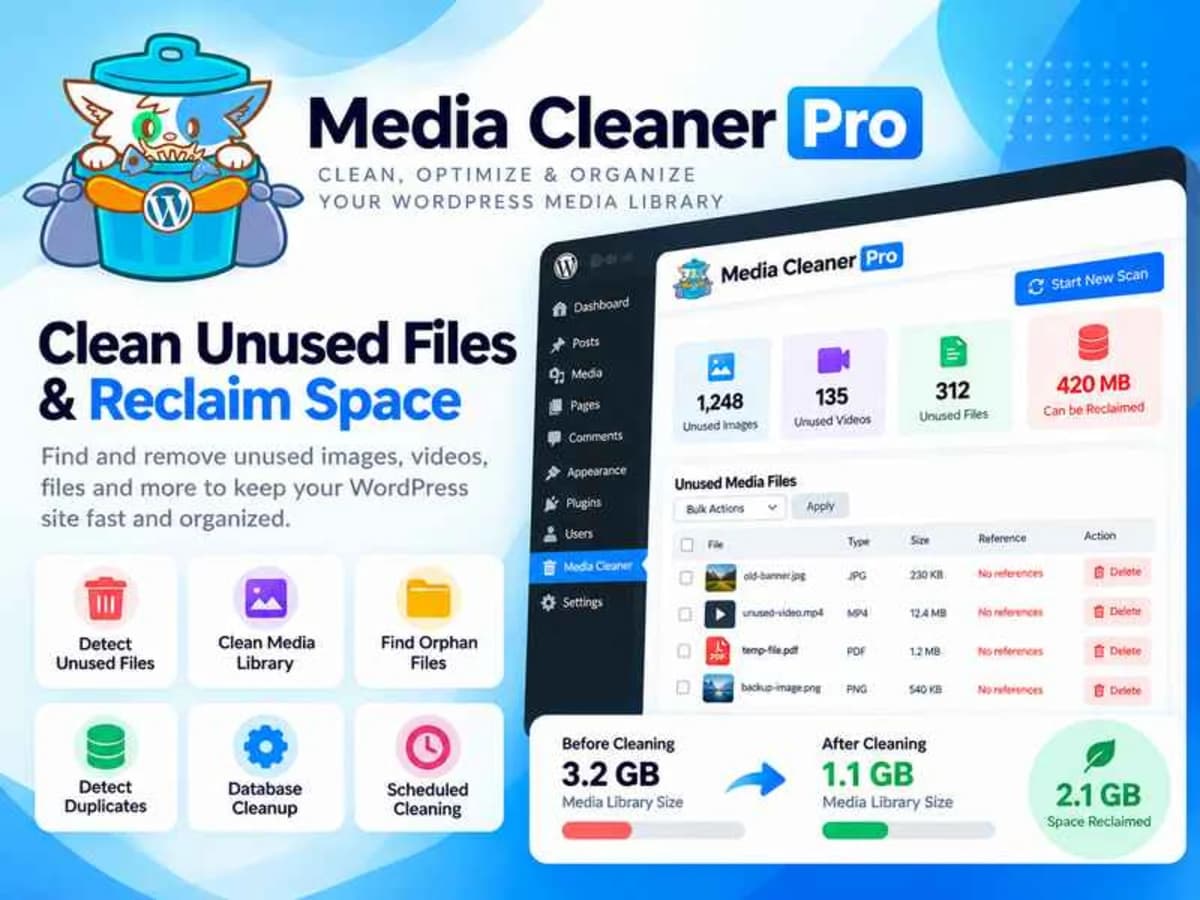
Media Cleaner Pro is a WordPress plugin built for one very practical job: finding and helping you remove media files you are no longer using. If you’ve run a WordPress site for more than a year, you know how fast the wp-content/uploads folder grows. Duplicate images, old product photos, thumbnails from three themes ago, PDFs you uploaded for a campaign in 2021 — they all sit there eating up disk space and making backups slow and expensive.
This plugin is for site owners, bloggers, WooCommerce store owners, and agencies who manage client sites and need to keep storage lean without manually hunting through thousands of files. Instead of guessing what is safe to delete, it cross-references your entire file system against what WordPress and your active plugins and builders are actually using. If a file isn’t referenced anywhere — in posts, pages, meta fields, builder data, or widgets — it gets flagged so you can review and remove it with confidence.
Core Features & Why They Matter in Practice
What sets the Pro version apart from the free Media Cleaner is how deeply it looks for file references, especially when you use page builders and complex plugins.
1. Filesystem Scan
This is the core engine. Rather than just checking the Media Library database entries, it scans the uploads directory directly. That means it can catch orphaned files that were uploaded via FTP, created by a plugin, or left behind after you deleted a post. It gives you a much more honest picture of what is really on your server versus what WordPress thinks is there.
2. Support for All Major Page Builders
Page builders don’t store image usage the same way the default editor does. They encode it. Media Cleaner Pro is specifically built to parse data from Elementor, Divi, WPBakery, Beaver Builder, Brizy, Oxygen, Fusion Builder and others. Without this, a regular cleaner would often flag a hero image used in Elementor as “unused” — and deleting it would break your design. This support prevents those false positives.
3. Support for Exotic and Custom Plugins
Plugins like Advanced Custom Fields, UberMenu, ZipList Recipe and thousands of others store image references in custom tables and meta fields. The Pro scan understands these non-standard locations. If a plugin you rely on stores an image in a custom field, it won’t be mistakenly marked for deletion. And if you hit an edge case, the developer offers to add compatibility.
4. Live-Site Analysis
This is a clever second layer of verification. The plugin will crawl your site as if it were a real visitor, checking the front-end output to see which images and files are actually loaded. This catches dynamically generated references and shortcodes that a pure database scan might miss, which significantly improves detection accuracy.
5. WP-CLI for Power Users
If you manage multiple sites or large sites with 30k+ media items, running scans from the WordPress dashboard can be slow. The Pro version includes full WP-CLI support, so you can trigger scans, get reports, and even automate cleanups from the command line or via cron scripts. It’s faster, more stable for big sites, and perfect for agencies.
6. Safe Trash System Before Permanent Delete
You never delete straight away. Detected files are first moved to a trash area inside the plugin where you can review everything, preview the image, and see where (or where not) it was found. You can restore anything with one click before you commit to a permanent deletion. That safety net is essential when you are cleaning up thousands of files.
Practical Use Cases Where It Saves You
1. Cleaning Up After a Redesign or Builder Switch
Say you switched from WPBakery to Elementor last year. You likely have entire folders of images, icons, and banner files from the old builder that are no longer referenced anywhere. Media Cleaner Pro will flag that legacy bulk so you can delete it and often recover several gigabytes of space, which makes your next site backup much smaller and faster.
2. WooCommerce Stores With Years of Product History
Stores that have added and removed products constantly accumulate unused product galleries, variation images, and downloadable files. Running a Filesystem + Live-Site scan helps you identify which product images are truly orphaned versus which are still tied to hidden or draft products, so you can slim down without breaking live listings.
3. Client Sites and Ongoing Maintenance
For freelancers handing sites back to clients, a media cleanup is a great value-add before handover. I often run it on staging after a client has uploaded dozens of near-duplicate images for blog posts. It gives you a tidy report to show what can be removed, reduces hosting disk usage, and improves Media Library load times for the client going forward.
Product Details
Versionmedia-cleaner-pro-7.2.9.zip
CategoryWordpress Plugins
LicenseGPL
Downloads0
Last Updated29 Sept 2026
What You Get
Original GPL Licensed Files
Unlimited Domain Usage
Instant Download Access
Free Manual Updates
100% Clean & Virus Free
GPL vs Original
| Feature | GPL | Original |
|---|---|---|
| Original Files | ✅ | ✅ |
| Unlimited Downloads | ✅ | ✅ |
| Unlimited Websites | ✅ | ❌ |
| One-Time Payment | ✅ | ~ |
| No License Key | ✅ | ❌ |
| Author Support | ❌ | ✅ |