Product Info
| Uses | Unlimited Domains |
| Source | Original Authors |
| License | GPL |
| Version | kapee-woocommerce-theme-1.6.21.zip |
| Last Updated | 28 Sept 2026 |
Get with Membership
Access 500+ products
Starter
₹799
5/day
Premium
₹1,299
10/day
Developer
₹1,999
15/day
Woocommerce Themes
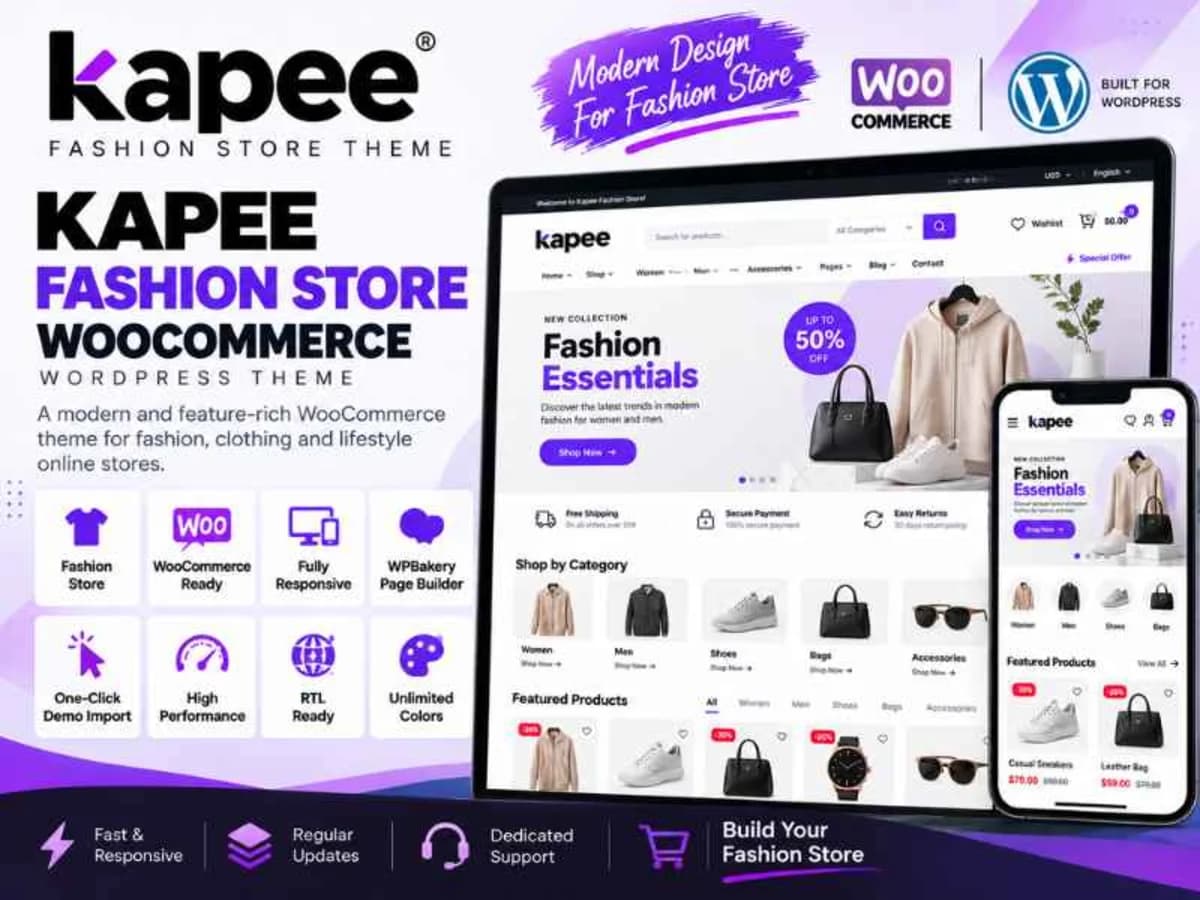
Kapee WooCommerce Theme
Choose Plan
ONE YEAR UPDATE
1 Year download access
₹399
LIFETIME UPDATE
Lifetime download access
₹599
What You Get
Original GPL Licensed Files
Unlimited Domain Usage
Instant Download Access
Free Manual Updates
100% Clean & Virus Free
Secure Payment
Instant Access
Free Updates
Product Description
Kapee is a flexible, WooCommerce-focused WordPress theme built for modern online shops that need more than a simple catalog. Instead of being a generic blog theme with shop support added later, it was designed from the ground up around product discovery, conversion, and vendor management. If you are building a general store, a niche fashion shop, electronics marketplace, or a single-brand store, Kapee gives you the layout control and shop features without having to stitch together ten different plugins.
It solves a very specific frustration: most free themes look okay on the homepage but fall apart on the product page, cart, and filtering experience. Kapee fixes that gap by providing built-in shop tools like ajax search, product comparison, wishlist, and a fast off-canvas cart, so shoppers don’t bounce before checkout. For anyone learning WooCommerce or planning a client project, it’s a great way to study how a properly structured e-commerce theme handles performance, product presentation, and multi-vendor compatibility.
Core Features and Why They Matter in Real Stores
Here are the features in Kapee that I found most useful when testing it on a dummy store with 50+ products:
1. Instant Ajax Live Search
Instead of reloading the page for every search, Kapee shows matching products, tags, and categories as you type. This small detail makes a huge difference for stores with large catalogs, because shoppers find what they need in seconds and you reduce search abandonment. It’s especially helpful on mobile where typing patience is low.
2. Full-Screen Product Compare
Customers can select two or more products and view them side-by-side in a clean, full-screen table. For electronics, furniture, or any store where specs matter, this is a conversion driver. From a developer view, it’s neatly integrated and doesn’t require a separate comparison plugin.
3. Wishlist and Off-Canvas Cart
The wishlist lets logged-in or guest users save items for later, which is perfect for building return visits. Paired with it, the off-canvas cart slides in from the side without taking shoppers away from the product page. It saves screen space, feels faster, and keeps the buying momentum going.
4. Buy Together and Smart Product Recommendations
The Buy Together feature lets you bundle related products with a single add-to-cart action, like showing a t-shirt with matching jeans or a camera with a memory card. It’s a simple way to increase average order value without setting up a separate cross-sell plugin, and you can control the suggested items per product.
5. Size Guide, Offer Text and Service Blocks
For apparel and footwear shops, the built-in Size Guide popup answers sizing questions right on the product page and cuts down on returns. The Offer Text and Service Text fields let you add short trust messages like “Free 30-day returns” or “Limited-time discount” exactly where buying decisions happen, without editing code.
6. True Multi-Vendor Compatibility
This is a big one. Kapee works out of the box with Dokan, WC Vendors, WC Marketplace, and WCFM. That means if you are planning a marketplace where multiple sellers manage their own products, orders, and commissions, the theme already has the templates and layouts for vendor stores, dashboards, and product listings.
7. Enhanced Reviews and Product Video Support
Beyond the default WooCommerce reviews, Kapee includes an advanced review style that makes ratings more readable and trustworthy. You can also add product videos to the gallery, which helps a lot for detailed items where photos alone don’t show enough.
Practical Use Cases: Where Kapee Makes Sense
1. A Fashion and Apparel Store That Needs Less Returns: If you sell clothing, you constantly deal with size confusion. Using Kapee’s size chart popup, product video preview, and service text blocks for shipping info, you can give shoppers confidence before they click buy. I’ve seen this exact setup reduce “what size should I buy?” support tickets significantly.
2. A Multi-Category Electronics or General Store: When your catalog ranges from phones to headphones to accessories, the Ajax search and comparison table become essential. Shoppers can quickly filter, compare specs, and use the wishlist to shortlist options, which is exactly how people shop for tech in real life.
3. Building a Small Marketplace for Local Sellers: For developers practicing marketplace concepts, Kapee plus Dokan or WCFM is an excellent combo. You can create vendor registration, separate seller shops, and commission structures while the theme keeps everything looking consistent on the front end. It’s perfect for learning how vendor-specific pages should be styled.
Product Details
Versionkapee-woocommerce-theme-1.6.21.zip
CategoryWoocommerce Themes
LicenseGPL
Downloads2
Last Updated28 Sept 2026
What You Get
Original GPL Licensed Files
Unlimited Domain Usage
Instant Download Access
Free Manual Updates
100% Clean & Virus Free
GPL vs Original
| Feature | GPL | Original |
|---|---|---|
| Original Files | ✅ | ✅ |
| Unlimited Downloads | ✅ | ✅ |
| Unlimited Websites | ✅ | ❌ |
| One-Time Payment | ✅ | ~ |
| No License Key | ✅ | ❌ |
| Author Support | ❌ | ✅ |