Product Info
| Uses | Unlimited Domains |
| Source | Original Authors |
| License | GPL |
| Version | kadence-blocks-pro-2.8.19.1.zip |
| Last Updated | 30 Sept 2026 |
Get with Membership
Access 500+ products
Starter
₹799
5/day
Premium
₹1,299
10/day
Developer
₹1,999
15/day
Wordpress Plugins
Kadence Blocks Pro
Choose Plan
ONE YEAR UPDATE
1 Year download access
₹399
LIFETIME UPDATE
Lifetime download access
₹599
What You Get
Original GPL Licensed Files
Unlimited Domain Usage
Instant Download Access
Free Manual Updates
100% Clean & Virus Free
Secure Payment
Instant Access
Free Updates
Product Description
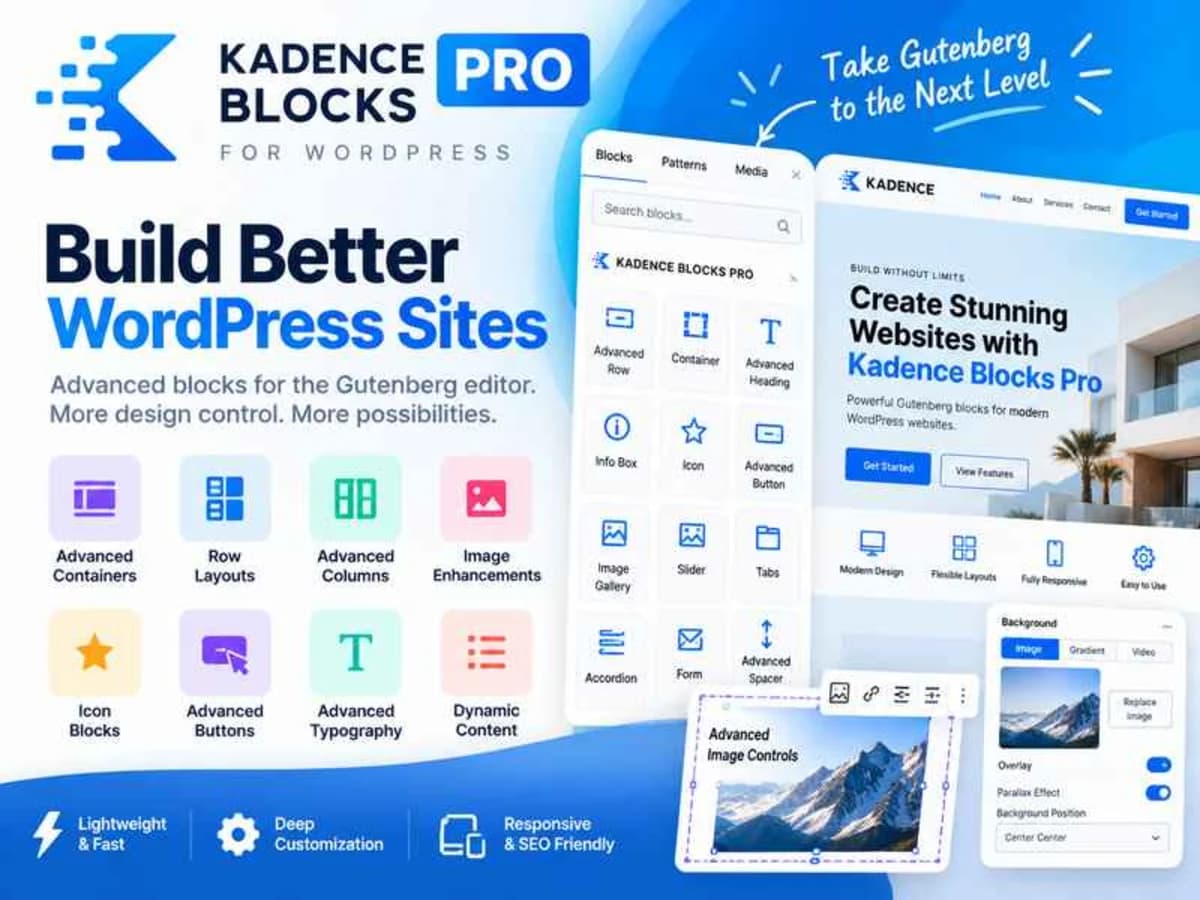
Kadence Blocks Pro is not just another block collection that adds a few fancy elements to Gutenberg. It turns the native WordPress editor into a proper page builder, without the bloat of an external builder. If you have ever felt limited by the default blocks — trying to get precise spacing, responsive behavior, or decent typography control — this is the plugin that fills those gaps.
It is built for anyone who wants to design inside Gutenberg but needs real layout power. Freelancers building client sites, bloggers who care about how their post grids and hero sections look, and small business owners who want to avoid Elementor or Divi overhead will find it especially useful. Instead of wrestling with custom CSS for every row or column, you get visual controls for layout, spacing, typography, and visibility that actually work where you expect them to.
Core Features That Make a Difference in Practice
What sets the Pro version apart is how complete and performance-conscious it feels. You are not just getting more blocks, you are getting smarter controls for the blocks you already use every day.
1. Intelligent Asset Loading
One of the best things about Kadence Blocks is that it does not load everything everywhere. CSS and JavaScript are only enqueued for the blocks present on that specific page. That keeps your pages light and fast, which is exactly what you want when you are trying to keep Core Web Vitals in the green without sacrificing design.
2. Advanced Row and Layout Controls
The Row/Layout block is the backbone of the whole system. You can build complex nested layouts, control column gutters, equalize heights, and set responsive stacking rules. For someone building custom homepages or landing pages inside Gutenberg, this alone replaces the need for a separate builder.
3. True Responsive Editing
You can adjust typography, spacing, alignment, and visibility per device — desktop, tablet, and mobile — and preview it right inside the editor. No more guessing how that heading size will look on a phone or writing media queries by hand. If you care about mobile experience, this saves hours.
4. Typography, Icons, and Design Controls
With access to over 900 Google Fonts, detailed line-height and letter-spacing options, plus more than 1500 SVG icons where you can control size, color, and stroke width without loading an icon font, you get real design freedom. Add in gradient, overlay, parallax, and border controls, and you can create polished sections without touching code.
5. Configurable Defaults and Role-Based Visibility
For developers, configurable defaults are a huge time saver. Set your preferred paddings, colors, and typography once, and every new block you add inherits those settings automatically. The setting visibility controls are also clever — you can hide advanced design options from clients or editors so they can focus on content without accidentally breaking the layout.
6. Precise Spacing Controls
Padding and margin controls work in pixels, ems, rems, or percentages, and they are responsive as well. That level of precision is what makes a site feel professionally built rather than slightly off. You can tighten up mobile spacing or give a desktop hero room to breathe without writing a line of custom CSS.
Where This Plugin Really Comes in Handy
Building Client Sites Without a Page Builder: If you are moving away from Elementor or Beaver Builder to keep sites lean, Kadence Blocks Pro lets you offer custom designs entirely within Gutenberg. Clients get a faster site and you get a simpler maintenance workflow with fewer plugin conflicts.
Designing Better Blog and Content Layouts: The Post Grid, Info Box, Tabs, Accordion, and Testimonial blocks make it easy to create magazine-style blog archives, service pages, and FAQs that look intentional. I often use it to test different blog grid layouts and reading experiences before finalizing a content strategy.
Creating Reusable, Branded Sections: Thanks to defaults and layout presets, you can build a hero, feature grid, or call-to-action once and reuse it across the site with consistent spacing and colors. It is ideal for agencies or bloggers who want a cohesive brand without rebuilding each page from scratch.
Product Details
Versionkadence-blocks-pro-2.8.19.1.zip
CategoryWordpress Plugins
LicenseGPL
Downloads0
Last Updated30 Sept 2026
What You Get
Original GPL Licensed Files
Unlimited Domain Usage
Instant Download Access
Free Manual Updates
100% Clean & Virus Free
GPL vs Original
| Feature | GPL | Original |
|---|---|---|
| Original Files | ✅ | ✅ |
| Unlimited Downloads | ✅ | ✅ |
| Unlimited Websites | ✅ | ❌ |
| One-Time Payment | ✅ | ~ |
| No License Key | ✅ | ❌ |
| Author Support | ❌ | ✅ |