Product Info
| Uses | Unlimited Domains |
| Source | Original Authors |
| License | GPL |
| Version | google-sheets-for-wpforms-2.6.0.zip |
| Last Updated | 28 Sept 2026 |
Get with Membership
Access 500+ products
Starter
₹799
5/day
Premium
₹1,299
10/day
Developer
₹1,999
15/day
Wordpress Plugins
Google Sheets for WPForms
Choose Plan
ONE YEAR UPDATE
1 Year download access
₹399
LIFETIME UPDATE
Lifetime download access
₹599
No Demo
What You Get
Original GPL Licensed Files
Unlimited Domain Usage
Instant Download Access
Free Manual Updates
100% Clean & Virus Free
Secure Payment
Instant Access
Free Updates
Product Description
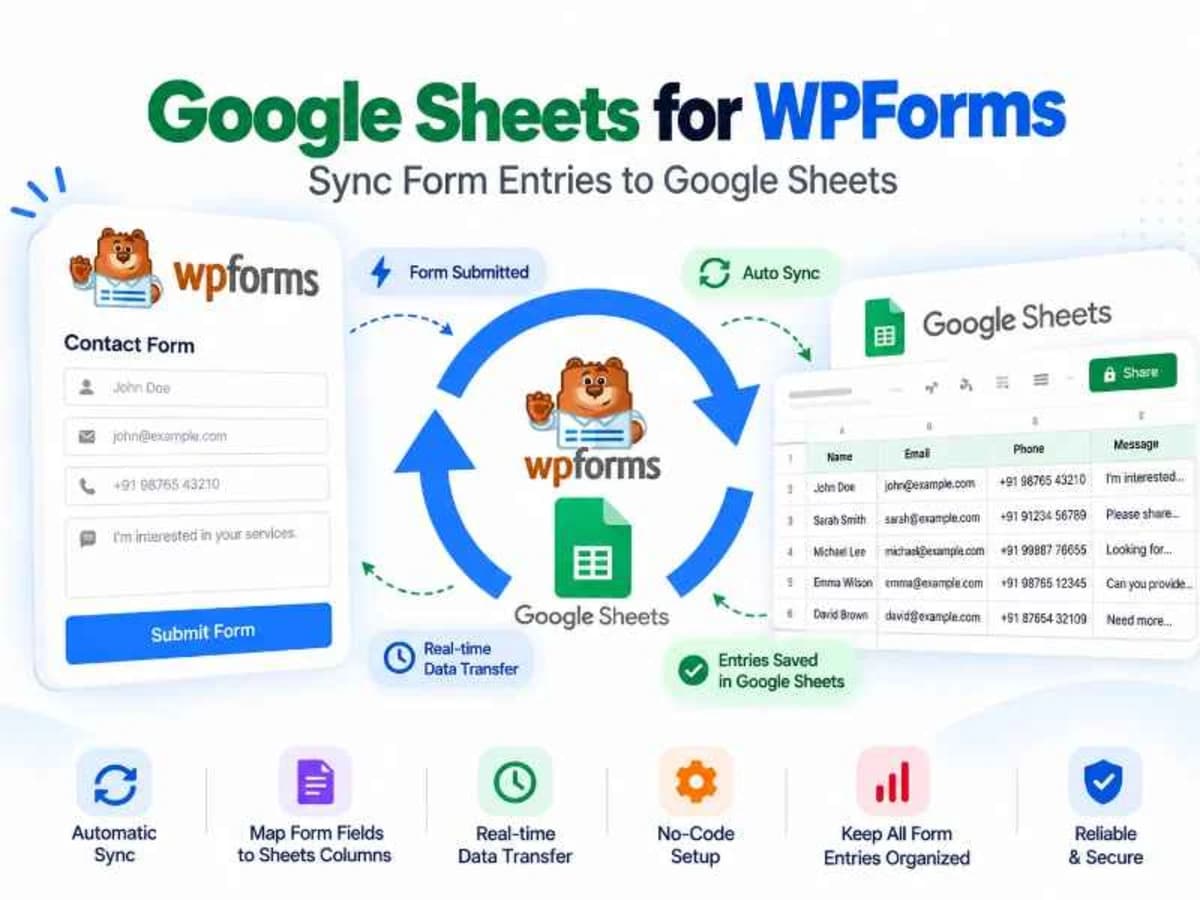
Google Sheets for WPForms is a connector plugin that automatically pushes every WPForms submission into a Google Sheet in real time. Instead of manually exporting CSV files or copying data from email notifications, your form entries appear as new rows in a spreadsheet you already use.
This is built for anyone who relies on sheets to manage leads, orders, registrations, or client inquiries. If you run a small business, handle client sites, manage an admissions form, or just prefer to sort and filter everything in Google Sheets, this removes the manual step completely. It solves the gap between collecting data on WordPress and actually working with that data. Your team can share the sheet, add comments, create filters, build charts, and trigger further automation without ever logging into WordPress.
Core Features and Practical Value
What makes this addon useful is not just that it connects, but how much control it gives you over where and how the data lands.
Connect Multiple Google Accounts
You are not locked to a single Google account. You can authenticate and manage multiple accounts, which is perfect if you build sites for clients and each client needs submissions to go to their own Drive. It keeps data separated and avoids messy permission sharing.
Send Submissions to Multiple Sheets
A single form can feed more than one spreadsheet at the same time. For example, you could send all contact form leads to a master sheet for the business owner while also sending a filtered copy to a sales team sheet. No duplicate forms or extra automations needed.
Flexible Field-to-Column Mapping
You can map each WPForms field to a specific column header in your sheet. You decide the column order, rename headers to match your internal naming, and leave out fields you do not need in the sheet. This keeps your spreadsheet clean and readable instead of dumping every field in a random order.
Conditional Logic Support
Not every entry needs to go to the same place. With conditional logic, you can decide when a row should be added. For instance, only send the submission to the sheet if the user selected “Request a Quote” or if the order value is above a certain amount. This prevents your sheet from filling up with test entries or irrelevant submissions.
Support for Sheet Tabs
If you organize a single spreadsheet with multiple tabs, the plugin respects that. You can point different forms, or even different logic rules from the same form, to specific tabs within one spreadsheet. Great for keeping monthly reports, department-wise leads, or event registrations separated without creating dozens of files.
Real-Time Sync Without Manual Exports
Once authenticated and mapped, the sync is automatic. As soon as someone hits submit, the row appears in Google Sheets within seconds. No cron jobs to configure and no CSV exports to remember. It just keeps your WordPress data and your Sheets in sync quietly in the background.
Practical Use Cases: Where This Connection Saves Time
1. Client Lead Management Without a CRM: Many small businesses live in Google Sheets instead of paying for a CRM. With this addon, every contact form, quote request, or booking inquiry from WPForms lands directly in a shared “Leads” sheet. The owner can add a status column, assign leads, and follow up, all from a familiar interface that the whole team can access on mobile.
2. Event or Course Registrations: If you run workshops, webinars, or a small school site, you can collect registrations through WPForms and have them organized instantly by event date or ticket type using different tabs. Volunteers or staff can check the sheet on their phones at the door without needing WordPress access, and you can quickly filter or count attendees.
3. Order Tracking for Simple Stores: For sites taking orders or service requests through a form instead of a full e-commerce setup, this creates a lightweight order log. Map product, quantity, and customer details to sheet columns, then use Sheets formulas to calculate totals, track fulfillment status, or generate invoices. It is much faster than digging through WordPress entries one by one.
Product Details
Versiongoogle-sheets-for-wpforms-2.6.0.zip
CategoryWordpress Plugins
LicenseGPL
Downloads0
Last Updated28 Sept 2026
What You Get
Original GPL Licensed Files
Unlimited Domain Usage
Instant Download Access
Free Manual Updates
100% Clean & Virus Free
GPL vs Original
| Feature | GPL | Original |
|---|---|---|
| Original Files | ✅ | ✅ |
| Unlimited Downloads | ✅ | ✅ |
| Unlimited Websites | ✅ | ❌ |
| One-Time Payment | ✅ | ~ |
| No License Key | ✅ | ❌ |
| Author Support | ❌ | ✅ |