Product Info
| Uses | Unlimited Domains |
| Source | Original Authors |
| License | GPL |
| Version | cartzilla-wordpress-theme-1.1.0.zip |
| Last Updated | 24 Sept 2026 |
Get with Membership
Access 500+ products
Starter
₹799
5/day
Premium
₹1,299
10/day
Developer
₹1,999
15/day
Woocommerce Themes
Cartzilla - Grocery Store WordPress Theme
Choose Plan
ONE YEAR UPADTE
1 Year download access
₹399
LIFETIME UPDATE
Lifetime download access
₹599
What You Get
Original GPL Licensed Files
Unlimited Domain Usage
Instant Download Access
Free Manual Updates
100% Clean & Virus Free
Secure Payment
Instant Access
Free Updates
Product Description
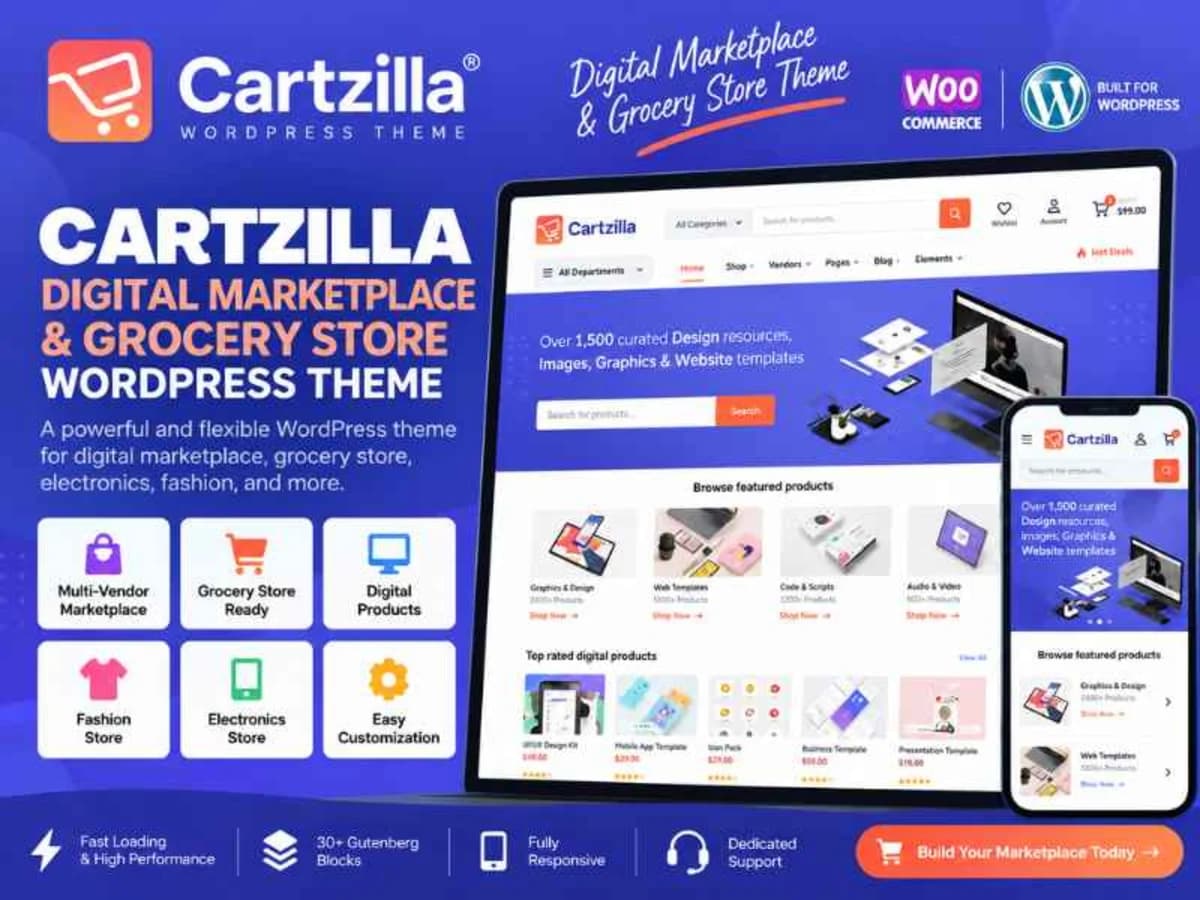
Cartzilla - Digital Marketplace & Grocery Store WordPress Theme
Cartzilla is a full WooCommerce theme designed to run either a single store or a complete multi-vendor marketplace. It is not a lightweight blogging theme with a shop added on top — it was made from the ground up for e-commerce, catalogs, and vendor dashboards.
If you are building an online grocery shop, electronics store, fashion marketplace, or a Dokan / WC Vendors style platform where multiple sellers need their own dashboards, this is the kind of foundation that saves weeks of custom development. It solves the usual headache of making WooCommerce look modern, work well on mobile, and give vendors and customers a proper account area without cobbling together ten different plugins. For freelancers and learners, it is also a solid codebase to study — how Bootstrap is integrated, how Gutenberg blocks are registered, and how product templates are structured.
Core Features That Are Actually Useful
1. Single and Multi-Vendor Marketplace Ready
The theme works for a classic single-owner store, but its real strength is multi-vendor support. You get dedicated vendor dashboard pages and vendor store layouts, which means you can run something like an Etsy-style site where each seller manages their own products, orders, and profile without touching your main admin.
2. 30+ Custom Gutenberg Blocks
Instead of being locked to a heavy page builder, Cartzilla leans on native Gutenberg blocks. There are over 30 custom blocks for product grids, banners, deals, categories, testimonials and more. It makes building homepages and landing pages much faster, and the content stays portable if you ever switch editors.
3. Redesigned Account and Vendor Dashboard Pages
Default WooCommerce account pages are pretty plain. Cartzilla replaces them with cleaner, more usable account and dashboard templates for both customers and vendors. Orders, addresses, downloads, and vendor sales data are presented in a way that actually makes sense to non-technical users, which reduces support requests.
4. Flexible Catalog and Product Layouts
You get grid and list views for shop archives plus shop category pages, and three different variations for single product pages. That flexibility matters when you sell different types of products — a list view works better for electronics specs, while a grid is better for fashion. You can test which converts better without rewriting templates.
5. Mobile-Focused Toolbar and Touch Sliders
A bottom toolbar with Cart, Menu, Filters and other actions is built specifically for handheld devices, plus all sliders are touch-enabled. This is not just responsive scaling; the navigation is rethought for thumbs. If most of your traffic comes from phones, this detail improves time on site and checkout completion.
6. 10 Header Variations and Mega Menu Support
Ten navbar styles and proper mega-menu functionality give you real control over the top of the site. For large catalogs with many categories and subcategories, a well-structured mega menu is essential for discoverability, and having it built-in avoids extra menu plugins that often conflict with caching.
7. Bootstrap-Based, SEO and Retina Ready
Built on Bootstrap, the markup is 100% responsive, W3C valid, and uses SEO-friendly structure with retina-ready font icons and Google Fonts. Detailed online documentation is included, so you are not guessing how to set up demos or customize blocks.
Where Cartzilla Makes Sense in Real Projects
Starting a niche marketplace on a budget: Say you want to launch a local marketplace for handmade goods or organic food. You need customers to browse by category, vendors to have their own mini-stores, and a mobile experience that does not frustrate buyers. Cartzilla gives you those pieces out of the box, so you can focus on onboarding sellers instead of building dashboards from scratch.
Rebuilding an outdated WooCommerce store: Many older stores run on themes that break on mobile or look dated. Moving to Cartzilla lets you keep WooCommerce and your orders, but offer modern grid/list toggles, better filtering, and cleaner product pages. The Gutenberg blocks also let your client update seasonal banners themselves without calling you every time.
Learning theme development and WooCommerce hooks: For students, Cartzilla is a great case study. Install it locally, look at how it overrides woocommerce templates, registers Gutenberg blocks, and enqueues Bootstrap assets. You can practice child theming, adding a custom hook for a trust badge under the price, or changing the catalog layout without risking a live site.
Product Details
Versioncartzilla-wordpress-theme-1.1.0.zip
CategoryWoocommerce Themes
LicenseGPL
Downloads0
Last Updated24 Sept 2026
What You Get
Original GPL Licensed Files
Unlimited Domain Usage
Instant Download Access
Free Manual Updates
100% Clean & Virus Free
GPL vs Original
| Feature | GPL | Original |
|---|---|---|
| Original Files | ✅ | ✅ |
| Unlimited Downloads | ✅ | ✅ |
| Unlimited Websites | ✅ | ❌ |
| One-Time Payment | ✅ | ~ |
| No License Key | ✅ | ❌ |
| Author Support | ❌ | ✅ |