🎉 Special Offer — Save 10% on Everything! Use Coupon SAVE10
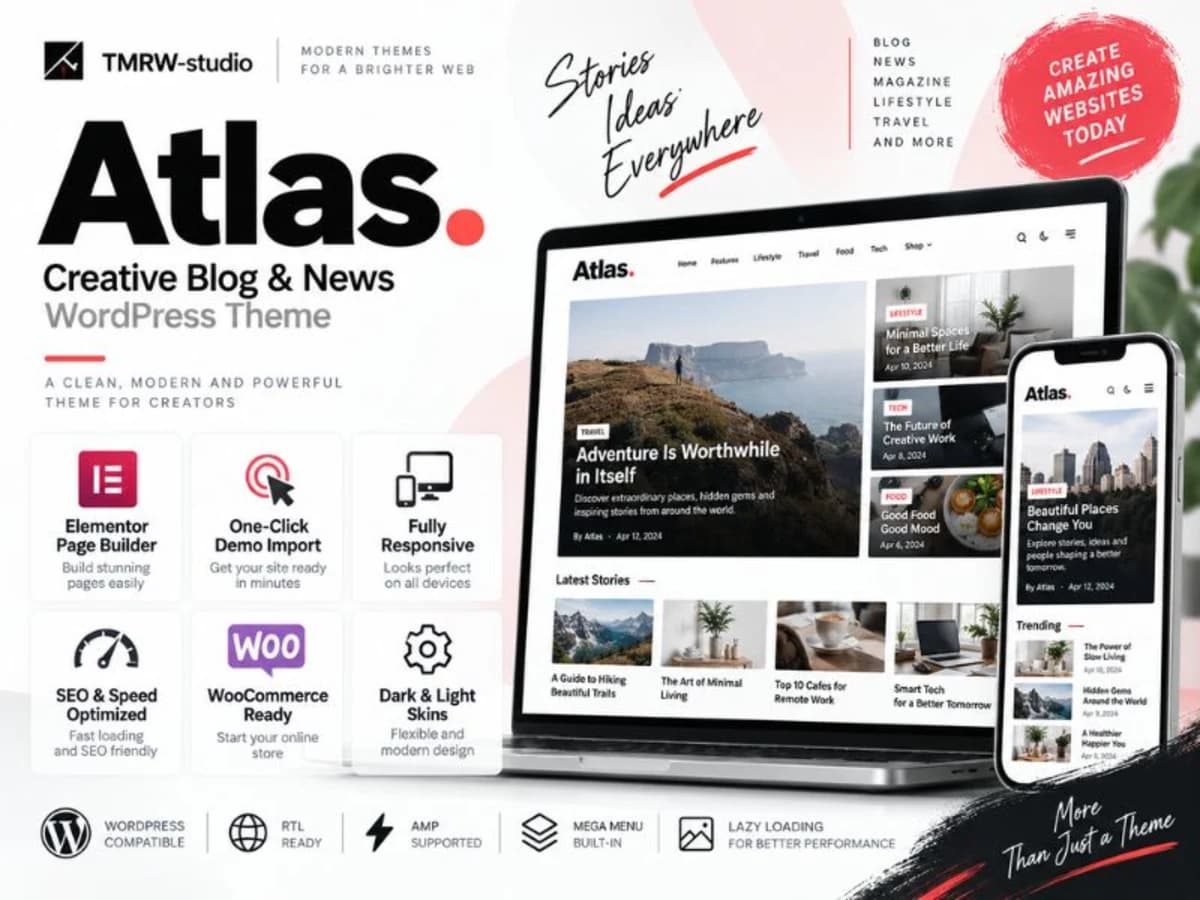
Atlas WordPress Theme ( Newspaper, Blog Theme )

Product Info

UsesUnlimited Domains
SourceOriginal Authors
LicenseGPL
Versionatlas-wordpress-theme-2.1.1.zip
Last Updated15 Sept 2026

Get with Membership

Access 500+ products

Starter

₹799

5/day

Premium

₹1,299

10/day

Developer

₹1,999

15/day

Get Membership
Wordpress Plugins

Atlas WordPress Theme ( Newspaper, Blog Theme )

Choose Plan

Lifetime Updates

Lifetime download access

₹599

One Year Updates

1 Year download access

₹399

What You Get

Original GPL Licensed Files
Unlimited Domain Usage
Instant Download Access
Free Manual Updates
100% Clean & Virus Free
Secure Payment
Instant Access
Free Updates

Product Description

Atlas is a lightweight, content-focused WordPress theme built for magazines, news sites, and modern blogs that also need to sell. It is not a heavy multipurpose builder theme packed with things you will never use. Instead, it focuses on readability, fast loading, and flexible article presentation. If you run a blog that publishes a lot of articles, reviews, or editorial content and you want that content to look good on all devices while still having the option to add a shop later, Atlas was made for this balance. It solves the common problem where a blog theme looks great in the demo but falls apart when you add real content, ads, and WooCommerce. Atlas keeps the reading experience clean with proper typography and white space, but still gives you the commerce features, social sharing, and discovery tools you need to grow an audience and monetize. Core Features That Make Atlas Useful in Real Projects 1. Five Article Layouts Plus Grids and Masonry You are not locked into one single blog look. Atlas gives you five different single post layouts and multiple archive styles including grid and masonry. This is practical when you want your featured stories to stand out differently from regular news updates, or when you want your homepage to feel like a real magazine instead of a simple chronological list. 2. Infinite Scroll and Reading Experience Tools Features like Infinite Scroll for loading next posts, a Reading Indicator bar, and a “Now Reading” module for single posts keep visitors engaged. For long-form content, the progress bar subtly shows how far they have read, and infinite loading reduces bounce rate by automatically offering the next article without a hard page reload. 3. Built for Speed and Search Atlas comes with dedicated Speed Optimization settings in the theme options, plus it is SEO Ready and includes Rich Snippet and Open Graph markup out of the box. That means your posts are more likely to show proper titles, images, and descriptions when shared on Facebook or in Google results, without needing extra plugins to inject that code. 4. Sticky Header, Sticky Sidebar and Off-Canvas Navigation The sticky header and sticky sidebar keep navigation and important widgets visible while scrolling, which helps with ad viewability and navigation on long articles. The OffCanvas menu and sidebar are especially helpful on mobile, where you can tuck away categories, search, and extra links without cluttering the small screen. 5. Ajax Search and Popup Search Instead of a slow, full-page reload search, Atlas uses Ajax search with a popup layout. Visitors can start typing and see results instantly. It feels much more modern and keeps people on the page they are reading while they look for something else. 6. Full WooCommerce Compatibility Without the Bloat Many blog themes break when you activate WooCommerce. Atlas is fully compatible, so you can add a shop, sell merchandise, or offer paid subscriptions alongside your content without switching themes. It keeps the store styling consistent with the blog’s clean aesthetic. 7. Simple, Lightweight Theme Options You don’t get an overwhelming options panel with hundreds of toggles. The theme options are intentionally lightweight and easy to use. You can adjust colors, fonts, layouts, and header styles quickly, which is a relief if you have worked with themes that bury every setting under five sub-menus. Where Atlas Works Best in Practice 1. A Modern News or Magazine Site: If you publish 5-10 articles a week and need category pages that look dynamic, the combination of masonry grids, infinite scroll, and the reading indicator makes Atlas ideal. You can feature different layouts for editor’s picks versus latest news and keep the homepage feeling fresh. 2. A Content-Driven Store: Perfect for creators or niche blogs that monetize through WooCommerce. For example, a food blog that sells ebooks and kitchen tools, or a tech review site that links articles directly to products. You get a serious editorial look with a functional shop underneath. 3. A Newsletter and Community Focused Blog: With built-in Mailchimp compatibility, Contact Form 7 support, and social sharing, Atlas is great for sites focused on growing an email list and social presence. The translation-ready structure also helps if you plan to run a multi-language blog later. Things to Keep in Mind Before You Use It Atlas is optimized to be lightweight, so it does not try to replace a page builder. If you want highly custom landing page designs, you will still want to pair it with Elementor or Gutenberg blocks. Always test it on a staging copy first with your current plugins, especially caching and SEO plugins, to make sure Open Graph tags don’t duplicate. And since features like sticky elements and Ajax search rely on JavaScript, check the mobile experience thoroughly after you enable your optimization plugin.

Product Details

Versionatlas-wordpress-theme-2.1.1.zip
CategoryWordpress Plugins
LicenseGPL
Downloads0
Last Updated15 Sept 2026

What You Get

Original GPL Licensed Files
Unlimited Domain Usage
Instant Download Access
Free Manual Updates
100% Clean & Virus Free

GPL vs Original

FeatureGPLOriginal
Original Files
Unlimited Downloads
Unlimited Websites
One-Time Payment~
No License Key
Author Support

Cart

Your cart is empty

Add products to get started